Skype review


 Loading...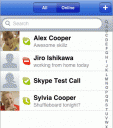
Have you been waiting for a Skype app for the iPhone? Well the people at Skype have finally released and official iPhone app which works with both the iPhone and iPod touch. Now if you have a Skype account you can make free phone calls to anyone using your Skype subscription for free. Overall the Skype iPhone app is extremely well designed and layed out, as expected and amazingly enough works pretty well too. If you are an iPhone user, you can save money on your minutes. If you are an iPod touch user, and have WiFi access nearby, now you can turn your iPod touch into an working phone by using a headset and mic available from Apple.
You need to buy credits to use Skype text messaging and phone calling, but you can call 800 numbers for free. The 2 best 800 numbers to use are 1-800-GOOG-411 AND 1-800-FREE-411
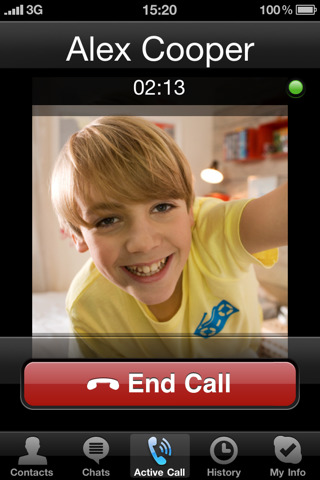
App Features:
Once you open the app and login to your Skype account, the Skype app displays your contact list in a similar format as the iPhone contact list. Tap any contact, and then tap the Call button to call them.
The chats tab lets you see your open chats with Skype users.
If you want to dial a new number use the Call tab which will show a nice little dial pad to use. From the Call tab you can access your iPhone contact list directly by tapping on the Contact icon, and call anyone from there directly using the Skype iPhone app.
History shows your most recent incoming and outgoing calls.
The My Info tab gives you information about your profile such as your online status, Skype credit, Online Number (if you have one), and your Voicemail subscription. From here you can take a photo using your iPhone to use as your Skype profile photo and easily type in a new status message. You can also edit your Skype profile information.
Update: Skype is now iPhone 4 compatible meaning you can run it in the background and be on a call while using other iPhone apps. In addition Skype calls can now be made over your 3G connection. Be mindful of your data plan and usage over 3G. A recent study by Ars Technica found that a five-minute call from Skype on an iPhone over 3G to another Skype user had 1.5MB of incoming data and 1.8MB outgoing data, totalling 3.3MB of data transmitted. This basically means 5 hours of Skype 3G calls for a 200MB limit account or 52 hours of Skype 3G calls with a 2GB account. Reduce that number by data used on other tasks. This is yet another reason why it pays to keep your unlimited data plan.
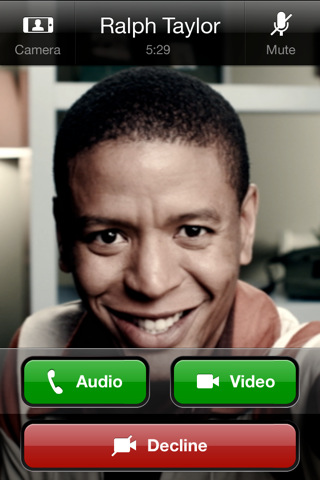
Update Good news! Starting with version 3.0 of the Skype app you can now make Skype to Skype video calls over 3G and WiFi with iPhone 4, iPhone 3GS and iPod touch 4th generation devices running iOS 4 and higher. iPad and 3rd gen iPod touch users can still receive video calls using the Skype app, but not send. If you plan to use video calls over 3G be sure to check your data charges or make sure you have an unlimited plan. You can also now call Skype desktop users (Mac OS X or Windows) and other iPhone users.
Here is a video demo of the Skype app on the iPhone
AppSafari Rating: /5

About AppSafari
Popular App Review Categories
- Games
- Featured apps
- iPad apps
- Free apps
- Cydia apps
- App Lists
- Music
- Utilities
- Reference
- Social
- Chat
- Video
- Productivity
- Notes
- Fun
- GPS
- Files
- Augmented reality
- Shopping
- Education
- Finance
- Travel
- Food
- Sports
- News
- Weather
- Health
- Movies
- Photos
- VOIP
- Calendar
- Contacts
- Auto
- Dating
- Books
- Web apps
- All categories >>
Recent iPhone App Reviews
- Elevate – Brain Training May 28th, 14
- UpTo Calendar – Syncs with Google Calendar, iCloud, Outlook and more May 28th, 14
- Quip May 23rd, 14
- Marco Polo: Find Your Phone by Shouting MARCO! May 22nd, 14
- Ku – creative social network May 13th, 14
- Personal Zen May 9th, 14
- Fiasco! Free May 9th, 14
- Forza Football (formerly Live Score Addicts) Apr 29th, 14
