A Fake Caller review


 Loading...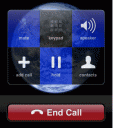
Wanna get out of a date, a meeting or some other sticky situation? There’s an app for that. Take a look at the free and paid versions of the app called A Fake Caller for your iPhone. This is a simple app that lets you schedule a fake call to come into your iPhone at any time you want. Using the app is very simple. Just open it, hit a couple buttons and wait for your iPhone to ring. You can do it quickly using a timer countdown (for example call me in 45 seconds) or you can schedule one for a precise date and time in the future. The Fake Caller app lets you set a few parameters to make the fake call seem less fake. You can type in a caller name, choose a ringtone of your liking from a few good ones this app lets you pick from, and even pick a custom wallpaper and caller image if you wish.
Once you activate the dummy screen, A Fake Caller turns your screen into a dummy iPhone homescreen. After a few seconds a call starts rining which looks identical to the iPhone’s incoming call screen. You can answer the call, and when you are done hit end call and the app returns to your iPhone icons page. The paid version called A Fake Caller Premium has no ads, other than that they see to have the same features.
Here is a video demo of the A Fake Caller app on the iPhone

2 Comments to “A Fake Caller”
About AppSafari
Popular App Review Categories
- Games
- Featured apps
- iPad apps
- Free apps
- Cydia apps
- App Lists
- Music
- Utilities
- Reference
- Social
- Chat
- Video
- Productivity
- Notes
- Fun
- GPS
- Files
- Augmented reality
- Shopping
- Education
- Finance
- Travel
- Food
- Sports
- News
- Weather
- Health
- Movies
- Photos
- VOIP
- Calendar
- Contacts
- Auto
- Dating
- Books
- Web apps
- All categories >>
Recent iPhone App Reviews
- Elevate – Brain Training May 28th, 14
- UpTo Calendar – Syncs with Google Calendar, iCloud, Outlook and more May 28th, 14
- Quip May 23rd, 14
- Marco Polo: Find Your Phone by Shouting MARCO! May 22nd, 14
- Ku – creative social network May 13th, 14
- Personal Zen May 9th, 14
- Fiasco! Free May 9th, 14
- Forza Football (formerly Live Score Addicts) Apr 29th, 14

LOL… The iPhone is well behind the Android on that area… Check out “Fake Me Out Of Here” in the Android market… MUCH better. You can either shake your phone in any given moment or schedule up to 50 calls from 50 different contacts… Nothing like this crap 🙂
Posted on March 12th, 2011 at 5:34 am by Daniel… You do realize that this is an app that most likely someone made right? If someone programed an app that you could shake to receive a call or do a scheduled call list, it would work perfectly fine on the iPhone. Oh, and this review was done in 2009.
Posted on March 12th, 2011 at 11:06 am by Joseph Ho