iHandy Carpenter review


 Loading...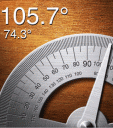
Five professional tools in 1 app makes iHandy Carpenter a wonderful app for anyone looking to use their iPhone as a measuring tool when working around the house.
The iPhone can act as a:
– A steel ruler, supporting both inches and centimeters. By swiping it left and right, the ruler is capable to measure things much longer than your iPhone!
– A steel protractor, measuring angles from 0 to 180 degrees.
– A surface level, the best tool to level any flat surface
– A plumb bob, the easiest way for you to verify the verticality of lines or walls
– A bubble level bar, exactly as you can see in carpenter tool kit shops, and more beautiful!
– Once calibrated, the plumb bob, surface level and level bar can also be used as an inclinometer/clinometer by reading the angles on the screen.
– How to calibrate the plumb bob
1. Find a corner with two sides of a straight wall
2. Put your iPhone back-to-back onto one side of the wall, with the edge of your iPhone against the other side of the wall
3. Press “Calibration” button
– How to calibration the surface level
1. Find a flat and horizontal table
2. Put your iPhone onto the table, with the back of the iPhone against the surface of the table
3. Press “Calibration” button
– How to calibration the bubble level bar
1. Find a flat and horizontal table
2. Put your iPhone onto the table, with the edge of the iPhone against the surface of the table
3. Press “Calibration” button

One Comment to “iHandy Carpenter”
Leave Comment
About AppSafari
Popular App Review Categories
- Games
- Featured apps
- iPad apps
- Free apps
- Cydia apps
- App Lists
- Music
- Utilities
- Reference
- Social
- Chat
- Video
- Productivity
- Notes
- Fun
- GPS
- Files
- Augmented reality
- Shopping
- Education
- Finance
- Travel
- Food
- Sports
- News
- Weather
- Health
- Movies
- Photos
- VOIP
- Calendar
- Contacts
- Auto
- Dating
- Books
- Web apps
- All categories >>
Recent iPhone App Reviews
- Whales: Giants of the Ocean Aug 20th, 26
- Test post title Aug 10th, 26
- Test post title Aug 10th, 26
- hello world Jul 15th, 26
- Elevate – Brain Training May 28th, 14
- UpTo Calendar – Syncs with Google Calendar, iCloud, Outlook and more May 28th, 14
- Quip May 23rd, 14
- Marco Polo: Find Your Phone by Shouting MARCO! May 22nd, 14

I recently downloaded 3.1 to my itouch. Today I purchased icarpenter; it seemed to download ok, but when I touch the icon to use it, the icon disappears for a moment and then returns – with none of the promised tools are available to me.
Posted on November 28th, 2009 at 11:59 am byNotice: Only variables should be assigned by reference in /var/www/html/wp-content/plugins/subscribe-to-comments/subscribe-to-comments.php on line 591
Russ Buckley