Layers review


 Loading...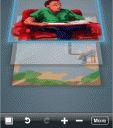
Create your next masterpiece using the Layers app. Layers is a powerful iPhone app for creating digital art. Unlike other popular painting iPhone apps like Brushes, Layers lets you create 5 separate Layers. You can create natural paintings with your fingers on the Layers app using various brush and color combination and stack up to 5 layers to create the final artwork you desire. You can drop in a picture and use the eraser tool to selectively reveal the layer beneath, or create several transparent layers to draw separate elements of your image! You can duplicate layers, merge down, and more. Made a mistake somewhere? No problem! Layers lets you undo 30 times and pick from a wide range of colors, brushes, erasers and more. Best of all the Layers app can export the final drawing as a PSD file that you can open in PhotoShop, and it even preserves the layers for you. To do this you need to Download the replay viewer and sync your drawings with your Mac. You can replay your work, export as JPG and PSD, and create QuickTime movies for sharing online!

About AppSafari
Popular App Review Categories
- Games
- Featured apps
- iPad apps
- Free apps
- Cydia apps
- App Lists
- Music
- Utilities
- Reference
- Social
- Chat
- Video
- Productivity
- Notes
- Fun
- GPS
- Files
- Augmented reality
- Shopping
- Education
- Finance
- Travel
- Food
- Sports
- News
- Weather
- Health
- Movies
- Photos
- VOIP
- Calendar
- Contacts
- Auto
- Dating
- Books
- Web apps
- All categories >>
Recent iPhone App Reviews
- Elevate – Brain Training May 28th, 14
- UpTo Calendar – Syncs with Google Calendar, iCloud, Outlook and more May 28th, 14
- Quip May 23rd, 14
- Marco Polo: Find Your Phone by Shouting MARCO! May 22nd, 14
- Ku – creative social network May 13th, 14
- Personal Zen May 9th, 14
- Fiasco! Free May 9th, 14
- Forza Football (formerly Live Score Addicts) Apr 29th, 14
