i-Clickr PowerPoint Remote review


 Loading...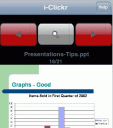
Wanna control your PowerPoint presentations from your iPhone? i-Clickr PowerPoint Remote is a unique iPhone app that helps you with giving PowerPoint presentations using any Microsoft Office product. Setup the app and connect it with any computer over WiFi. The app turns your presentation slides into a jpeg, counts the numbers of clicks for each slide and communicates with your machine. First time your process a presentation, it takes a few minutes to get all the images created. Once setup you cans see the next slide ahead of time or the notes for each slide.
There is a timer built in with limited functionality that puts clock runs at the top and bottom of the app and you get silent buzz alerts before your time runs out. You can do things like blank out the screen, jump to a certain slide, choose a black or white blank screen. You have to keep your finger on the iPhone or change its auto sleep settings during presentations.
Note: After you buy and install the i-Clickr app on your iPhone, you will need to also download and install the host app that talks to the app on your PC or MAC. More info here.
Take i-Clickr PowerPoint Remote for a spin. Try the free version of i-Clickr PowerPoint Remote Lite.
Here is a video demo of the i-Clickr PowerPoint Remote app on the iPhone

Leave Comment
About AppSafari
Popular App Review Categories
- Games
- Featured apps
- iPad apps
- Free apps
- Cydia apps
- App Lists
- Music
- Utilities
- Reference
- Social
- Chat
- Video
- Productivity
- Notes
- Fun
- GPS
- Files
- Augmented reality
- Shopping
- Education
- Finance
- Travel
- Food
- Sports
- News
- Weather
- Health
- Movies
- Photos
- VOIP
- Calendar
- Contacts
- Auto
- Dating
- Books
- Web apps
- All categories >>
Recent iPhone App Reviews
- Elevate – Brain Training May 28th, 14
- UpTo Calendar – Syncs with Google Calendar, iCloud, Outlook and more May 28th, 14
- Quip May 23rd, 14
- Marco Polo: Find Your Phone by Shouting MARCO! May 22nd, 14
- Ku – creative social network May 13th, 14
- Personal Zen May 9th, 14
- Fiasco! Free May 9th, 14
- Forza Football (formerly Live Score Addicts) Apr 29th, 14
