Groups 2 review


 Loading...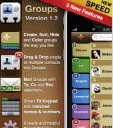
Want your iPhone contacts neatly organized? Groups is an iPhone or iPod touch a lets you manage your contacts the iPhone way; drag them, drop them or trash them. Take contacts group management to a totally different level using an innovative user interface. Groups lets you manage your contacts on the iPhone by using drag and drop gestures.Get the Groups iPhone app featuring drag & drop contacts management.
1. Create, rename, delete, sort, color, hide and navigate contact groups – all in a single view!
2. Drag & Drop single or multiple contacts into groups. Tap and hold on a Contact to start dragging.
3. *Send Mass Email to any Group. Mail Groups with individually set To, Cc and Bcc selections (Bcc, Cc options available for firmware 2.2 and above). Group mailing couldn’t be easier.
4. Send Mass / Group Mail to only a subset of a selected Group. Simply perform a search and filter on contacts you wish to email.
5. Merge multiple contacts into a single contact in Mass Select Mode (tap-hold two fingers on contact list). Extremely easy to merge duplicate contacts.
6. Remove multiple contacts from a group in Mass Select Mode.
7. Dial, SMS, Email and visit URL/Map Locations of individual contacts by tapping on their name for quick dialing (i.e. use it as a mini-dialer)
8. Search through your entire contact list from a single view. Type a name, a number or anything else you wish to find in a contact (URL, Address, Notes etc) and Groups will list them all.
9. Use the built-in smart T9 Dial Pad to make quick calls and quickly filter on matched names and numbers while you dial.
10. Use 9 built-in ready to use and helpful ‘Smart Groups’ to help categorize and manage your contacts the way you wish: 1) Singles (Contacts not in any Group), 2) No Name, 3) No Email, 4) No Phone, 5) No Image, 6) No Map, 7) Businesses, 8) Birthdays, 9) Photos and 10) Nicknames
11. Trash, delete and preserve contacts by dragging them to the ‘Trash’ Group. This would delete the contact permanently from the iPhone/iPod touch and then from your Computer when Synced or Pushed but will allow you to drag these back to normal groups, and thus restore them at a later point, unless you empty the Trash.
2. Keep your contacts and groups in sync with the built in Address Book, your Laptop or Mobile Me (Please see note below for Windows).
Your address book, too, deserves respect. Groups is the only contact grouper tool you’ll ever need. It’s rich with features and offers unmatched usability.
– Syncing doesn’t work with Exchange
– Please refrain from using the camera to take snaps from the ‘Edit contact’ feature. This is a known problem where the Camera take up too much memory and in turn kills the app. Please do so from the Contacts app instead.
– Mass SMS is currently NOT supported
– Managing Ringtones not supported

8 Comments to “Groups 2”
Leave Comment
About AppSafari
Popular App Review Categories
- Games
- Featured apps
- iPad apps
- Free apps
- Cydia apps
- App Lists
- Music
- Utilities
- Reference
- Social
- Chat
- Video
- Productivity
- Notes
- Fun
- GPS
- Files
- Augmented reality
- Shopping
- Education
- Finance
- Travel
- Food
- Sports
- News
- Weather
- Health
- Movies
- Photos
- VOIP
- Calendar
- Contacts
- Auto
- Dating
- Books
- Web apps
- All categories >>
Recent iPhone App Reviews
- Elevate – Brain Training May 28th, 14
- UpTo Calendar – Syncs with Google Calendar, iCloud, Outlook and more May 28th, 14
- Quip May 23rd, 14
- Marco Polo: Find Your Phone by Shouting MARCO! May 22nd, 14
- Ku – creative social network May 13th, 14
- Personal Zen May 9th, 14
- Fiasco! Free May 9th, 14
- Forza Football (formerly Live Score Addicts) Apr 29th, 14

This is rediculous that I have to buy an app to properly manage my contacts on a product that should already have this option. How Microsoft of you Apple!
Posted on December 20th, 2009 at 12:23 pm byNotice: Only variables should be assigned by reference in /var/www/html/wp-content/plugins/subscribe-to-comments/subscribe-to-comments.php on line 591
John
I downloaded the 99 cent app to clean up my duplicate contacts. It found a portion of them and quickly cleaned them up, but did not find them all. Merge search did not find them all either. First impression of this app – not so good.
Posted on May 10th, 2010 at 12:50 pm byNotice: Only variables should be assigned by reference in /var/www/html/wp-content/plugins/subscribe-to-comments/subscribe-to-comments.php on line 591
Arliss McNalley
Ringtone assigning to groups is essential, and mass sms as well. These will make you exclusively unique software. Keep working on them, many are waiting…!!!
Posted on October 7th, 2010 at 5:33 am byNotice: Only variables should be assigned by reference in /var/www/html/wp-content/plugins/subscribe-to-comments/subscribe-to-comments.php on line 591
Mohamed Sobhy
This is one of the best apps out there! It is slow to load but once opened it puts Apple’s contacts app to shame!
Posted on October 12th, 2010 at 11:19 am byNotice: Only variables should be assigned by reference in /var/www/html/wp-content/plugins/subscribe-to-comments/subscribe-to-comments.php on line 591
Christopher Spiewak
Groups cant be created from the contacts while using exchange server. Just loaded an update that looked like it may fix the problem … hasn’t.
Posted on December 30th, 2010 at 1:10 am byNotice: Only variables should be assigned by reference in /var/www/html/wp-content/plugins/subscribe-to-comments/subscribe-to-comments.php on line 591
Rod Palmer
Seems pretty cool so far, but how do I back up my groups so I do not have to recreate them in the event something bad happens to my iPhone?
Thanks
Posted on January 9th, 2011 at 10:05 am byNotice: Only variables should be assigned by reference in /var/www/html/wp-content/plugins/subscribe-to-comments/subscribe-to-comments.php on line 591
Mike t
Sync your contacts with googlemail as that is where groups 2 pulls them from.
Posted on January 9th, 2011 at 10:23 am byNotice: Only variables should be assigned by reference in /var/www/html/wp-content/plugins/subscribe-to-comments/subscribe-to-comments.php on line 591
Chappy
Hi, the app MGroup ( http://itunes.apple.com/us/app/mgroup/id408757608 ) makes a great job manipulating contact groups and sending SMS or Mail to them. Check it 😉
Posted on March 28th, 2011 at 11:41 am byNotice: Only variables should be assigned by reference in /var/www/html/wp-content/plugins/subscribe-to-comments/subscribe-to-comments.php on line 591
Felipe