Google Reader review


 Loading...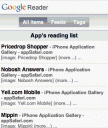
Read your news feeds with Google Reader optimized for the iPhone.
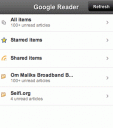
Update: The user interface for Google Reader has been revamped for iPhone users. The new UI includes tabs for All Items, Feeds and Tags. You can choose to view all your feeds or pick which items for folders you want shown. You can even view feeds for just one item at a time. Another new feature is the ability to star feed stories and mark all items in a group as read.
You can now also add new subscriptions from the iPhone. Tap on Add Subscription and enter a search term so Google Reader can find feeds about that term. There are also some prepacked feed bundles you can use to get started such as News, Sports, Fun, Thinkers, Celebrities, Geeky, Food, Technology and Cars.
Must be using the iPhone to see iPhone version. Try it here
Deprecated: strlen(): Passing null to parameter #1 ($string) of type string is deprecated in /var/www/html/wp-content/themes/apps/single.php on line 80

6 Comments to “Google Reader”
Leave Comment
About AppSafari
Popular App Review Categories
- Games
- Featured apps
- iPad apps
- Free apps
- Cydia apps
- App Lists
- Music
- Utilities
- Reference
- Social
- Chat
- Video
- Productivity
- Notes
- Fun
- GPS
- Files
- Augmented reality
- Shopping
- Education
- Finance
- Travel
- Food
- Sports
- News
- Weather
- Health
- Movies
- Photos
- VOIP
- Calendar
- Contacts
- Auto
- Dating
- Books
- Web apps
- All categories >>
Recent iPhone App Reviews
- Elevate – Brain Training May 28th, 14
- UpTo Calendar – Syncs with Google Calendar, iCloud, Outlook and more May 28th, 14
- Quip May 23rd, 14
- Marco Polo: Find Your Phone by Shouting MARCO! May 22nd, 14
- Ku – creative social network May 13th, 14
- Personal Zen May 9th, 14
- Fiasco! Free May 9th, 14
- Forza Football (formerly Live Score Addicts) Apr 29th, 14

You can also use David Cann’s JavaScript bookmarklet to “iPhonify” Google reader which looks visually more appealing.
Posted on August 18th, 2007 at 5:35 pm byNotice: Only variables should be assigned by reference in /var/www/html/wp-content/plugins/subscribe-to-comments/subscribe-to-comments.php on line 591
Appmin
Yet again, Google fails to add support for the iPod touch…it’s not hard to add the correct user agent information guys…
Posted on September 24th, 2007 at 9:09 pm byNotice: Only variables should be assigned by reference in /var/www/html/wp-content/plugins/subscribe-to-comments/subscribe-to-comments.php on line 591
xxdesmus
Good point! I’ve added a note to the help page. It will take some time before all web apps are updated to treat iPod and iPhone Safari browsers the same.
Posted on September 25th, 2007 at 12:17 pm byNotice: Only variables should be assigned by reference in /var/www/html/wp-content/plugins/subscribe-to-comments/subscribe-to-comments.php on line 591
Appmin
[…] Google Reader: Organize your news feeds with Google Reader for the iPhone. […]
Posted on August 26th, 2009 at 6:19 pm byNotice: Only variables should be assigned by reference in /var/www/html/wp-content/plugins/subscribe-to-comments/subscribe-to-comments.php on line 591
iKnow: 100 Best Reference Tools for Your iPhone | Web Online Law Degree
[…] Google Reader: Organize your headlines feeds with Google Reader for the iPhone. […]
Posted on September 3rd, 2009 at 12:12 pm byNotice: Only variables should be assigned by reference in /var/www/html/wp-content/plugins/subscribe-to-comments/subscribe-to-comments.php on line 591
iKnow: 100 Best Reference Tools for Your iPhone | Web Online Law Degree
Here’s the real question – how do you subscribe to an rss feed when browsing using safari on the ipod touch? I don’t subscribe by searching, I subscribe to things I’ve already found!
Posted on January 27th, 2011 at 8:43 am byNotice: Only variables should be assigned by reference in /var/www/html/wp-content/plugins/subscribe-to-comments/subscribe-to-comments.php on line 591
Niamh