Take A Note review


 Loading...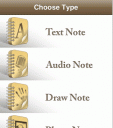
Readdle today announces the release of its brand new Take A Note iPhone application. Take A Note overcomes two major limitations of the built in iPhone Notes by providing access to notes from any Macintosh or Windows computer. Take A Note supports voice, drawing and photo memos in addition to text notes. Users can copy whole folders with text, sound or image files to their devices and they will be instantly transformed into new notes.
Odessa, Ukraine – Readdle today announces the release of their brand new Take A Note iPhone application, that overcomes two major limitations of the built in iPhone Notes by providing the access to individuals notes from any Macintosh or Windows computer and supporting voice, drawing and photo memos in addition to text notes.
Take A Note has everything that an iPhone or iPod Touch user needs for his note taking on the go: four types of notes, custom categories, search, send by email functions and a user friendly interface.
What makes Take A Note unique is the ability to connect to the iPhone as shared network drive and browse the notes as text, sound and image files, copy these files to the computer and even add existing text documents as new notes. Moreover, users can copy whole folders with text, sound or image files to their devices and they will be instantly transformed into new notes.
“The major limitation of the iPhone Notes is that all notes are locked to the iPhone. With our new Take A Note application, users have access to all their notes as files that they can freely backup, delete and edit,” explains Alexander Tyagulsky, Readdle CMO. “Have a note on your computer that you want to get on your iPhone? Just create new text file on your device running Take A Note and copy&paste note text there.”
Update: This app is no longer available in the App Store.

One Comment to “Take A Note”
Leave Comment
About AppSafari
Popular App Review Categories
- Games
- Featured apps
- iPad apps
- Free apps
- Cydia apps
- App Lists
- Music
- Utilities
- Reference
- Social
- Chat
- Video
- Productivity
- Notes
- Fun
- GPS
- Files
- Augmented reality
- Shopping
- Education
- Finance
- Travel
- Food
- Sports
- News
- Weather
- Health
- Movies
- Photos
- VOIP
- Calendar
- Contacts
- Auto
- Dating
- Books
- Web apps
- All categories >>
Recent iPhone App Reviews
- Elevate – Brain Training May 28th, 14
- UpTo Calendar – Syncs with Google Calendar, iCloud, Outlook and more May 28th, 14
- Quip May 23rd, 14
- Marco Polo: Find Your Phone by Shouting MARCO! May 22nd, 14
- Ku – creative social network May 13th, 14
- Personal Zen May 9th, 14
- Fiasco! Free May 9th, 14
- Forza Football (formerly Live Score Addicts) Apr 29th, 14

WTF is that! I’v been looking for a note app like this. But not in the Canadian store! WTF I’m so sick of this division, what next, will be burning books? OH! Canada! What a place.! 🙁
Posted on January 23rd, 2011 at 12:13 pm byNotice: Only variables should be assigned by reference in /var/www/html/wp-content/plugins/subscribe-to-comments/subscribe-to-comments.php on line 591
dingox