iRadio review


 Loading...
Zoom
User Reviews
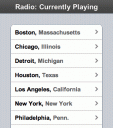
See what’s currently playing on the radio in your city on your iPhone or iPod touch. Browse by City name to get a list of all your local stations and the song and artist names for each station. Tapping on each station shows your the last 5 songs played with the currently playing song highlighted. You can then tap on each song to get more information about the song. From here you can pull up the lyrics for the song so you can sing along. You can email the song info. You can even buy the song via Wi-Fi iTunes which was released as part of iPhone update 1.1.1. Try with TestiPhone
Deprecated: strlen(): Passing null to parameter #1 ($string) of type string is deprecated in /var/www/html/wp-content/themes/apps/single.php on line 80

7 Comments to “iRadio”
Leave Comment
About AppSafari
Looking for the best iPhone, iPad & iPod touch apps? Reviews of the best new iPhone apps daily since 2007. The App Store is a jungle. Go on a safari of over 7263 iPhone, iPod touch & iPad apps & discover new iOS apps.
Popular App Review Categories
- Games
- Featured apps
- iPad apps
- Free apps
- Cydia apps
- App Lists
- Music
- Utilities
- Reference
- Social
- Chat
- Video
- Productivity
- Notes
- Fun
- GPS
- Files
- Augmented reality
- Shopping
- Education
- Finance
- Travel
- Food
- Sports
- News
- Weather
- Health
- Movies
- Photos
- VOIP
- Calendar
- Contacts
- Auto
- Dating
- Books
- Web apps
- All categories >>
Recent iPhone App Reviews
- Elevate – Brain Training May 28th, 14
- UpTo Calendar – Syncs with Google Calendar, iCloud, Outlook and more May 28th, 14
- Quip May 23rd, 14
- Marco Polo: Find Your Phone by Shouting MARCO! May 22nd, 14
- Ku – creative social network May 13th, 14
- Personal Zen May 9th, 14
- Fiasco! Free May 9th, 14
- Forza Football (formerly Live Score Addicts) Apr 29th, 14

ok
Posted on November 12th, 2007 at 6:01 pm byNotice: Only variables should be assigned by reference in /var/www/html/wp-content/plugins/subscribe-to-comments/subscribe-to-comments.php on line 591
Thiago
nice
Posted on November 13th, 2007 at 6:41 am byNotice: Only variables should be assigned by reference in /var/www/html/wp-content/plugins/subscribe-to-comments/subscribe-to-comments.php on line 591
indraneel
thanks
Posted on January 2nd, 2008 at 4:51 pm byNotice: Only variables should be assigned by reference in /var/www/html/wp-content/plugins/subscribe-to-comments/subscribe-to-comments.php on line 591
jhsgh
this one sux,
Posted on August 20th, 2008 at 1:48 pm bywhy cant i have a decent radio on my iphone 2.0 like it was iRadio for 1.x.x. versions.
Notice: Only variables should be assigned by reference in /var/www/html/wp-content/plugins/subscribe-to-comments/subscribe-to-comments.php on line 591
bRuce
I agree, iradio was sick, also because it could run in the background. Pandora and aol radio close when you go to the home screen.
Posted on August 21st, 2008 at 10:15 pm byNotice: Only variables should be assigned by reference in /var/www/html/wp-content/plugins/subscribe-to-comments/subscribe-to-comments.php on line 591
johnathan
Ok thanks a lot
Posted on November 30th, 2009 at 3:49 am byNotice: Only variables should be assigned by reference in /var/www/html/wp-content/plugins/subscribe-to-comments/subscribe-to-comments.php on line 591
Zhenhow
I really need radio on my Iphone!
Posted on July 23rd, 2010 at 4:03 pm byNotice: Only variables should be assigned by reference in /var/www/html/wp-content/plugins/subscribe-to-comments/subscribe-to-comments.php on line 591
Akalu