Canon Easy Photo Print for iPhone review


 Loading...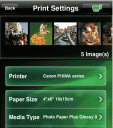
Got a Canon iEPP printer at home? Wanna print your iPhone photos on your Canon iEPP wireless printer? Now with the Canon Easy Photo Print for iPhone you can instantly print those snapshots you capture everyday on select Canon printers. Using the Canon Easy-PhotoPrint for iPhone is simple. Just select a photo or take one using your iPhone camera, then pick an iEPP printer on your home network and print bordered or borderless photos with just a couple of taps. You can print multiple pics at the same time (up to 20 at a time), and pick from a wide range of paper sizes and paper types. The app automatically finds your wireless iEEP Canon. The following Canon printers are supported by the iPhone app: PIXMA MP990, PIXMA MP640 and PIXMA MP560 All-In-One printers.
The good thing about this Canon app is that its free and lets you print wirelesly. The bad part is that it supports a whopping 3 printers, with no support for regular wireless printers out there. Its a terrific idea and great implementation using a limited selection of apps. Open it up to more printers, and you’ve got a winner. Otherwise its pretty much a reason to go buy a new printer you might not need.

Leave Comment
About AppSafari
Popular App Review Categories
- Games
- Featured apps
- iPad apps
- Free apps
- Cydia apps
- App Lists
- Music
- Utilities
- Reference
- Social
- Chat
- Video
- Productivity
- Notes
- Fun
- GPS
- Files
- Augmented reality
- Shopping
- Education
- Finance
- Travel
- Food
- Sports
- News
- Weather
- Health
- Movies
- Photos
- VOIP
- Calendar
- Contacts
- Auto
- Dating
- Books
- Web apps
- All categories >>
Recent iPhone App Reviews
- Elevate – Brain Training May 28th, 14
- UpTo Calendar – Syncs with Google Calendar, iCloud, Outlook and more May 28th, 14
- Quip May 23rd, 14
- Marco Polo: Find Your Phone by Shouting MARCO! May 22nd, 14
- Ku – creative social network May 13th, 14
- Personal Zen May 9th, 14
- Fiasco! Free May 9th, 14
- Forza Football (formerly Live Score Addicts) Apr 29th, 14
