PwnageTool 3.1.4


 Loading...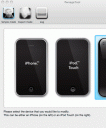
The iPhone dev team has released PwnageTool 3.1.4 for the MAC which will unlock and jailbreak OS 3.1.2 on most iPhone or iPod touch devices. The way this tool works is to you use the Pwnage tool to create a new 3.1.2 .ipsw file for your specific device. Which means, you should not have upgraded your firmware to anything above 3.0 from within iTunes if you wish to use this tool. If you have already used iTunes to upgrade to 3.1 or 3.2, stop here since this won’t work for you until you follow the the instructions for the downgrade path below. Here are the simple and important details regarding supported and unsupported devices for the Pwnage Tool 3.1.4 jailbreak and unlock tool for MAC OSX users only. A Windows version is will not released.
iPhone 3GS Supported, only if you already Pwned it at 3.0 or 3.0.1 using ultrasn0w in Cydia. Also, if you hurried and upgraded in iTunes, you are stuck.
iPhone 3G Supported, only if you already Pwned it at 3.0 or 3.0.1 using ultrasn0w in Cydia. Also, if you hurried and upgraded in iTunes, you must first use the downgrade path.
iPhone 1st Gen Supported
iPod touch 3G Not supported
iPod touch 2nd Gen Supported, only if you already Pwned it at 3.0 or 3.0.1 using ultrasn0w in Cydia. Also, if you hurried and upgraded in iTunes, you must first use the downgrade path.
iPod touch 1st Gen Supported
Downloading the .dmg Pwnage Tool 3.1.3 file: The best way to get the latest version of this software is by Bit Torrent from the following official release: PwnageTool 3.14 Torrent
Downgrading If you jumped the gun and used iTunes to install 3.1 or 3.2 you can’t use this tool yet, and you have a little more work to do. You must first downgrade to 3.0 and use redsn0w to Pwn 3.0 then you have an upgrade path using PwnageTool.
Once you are done, Install ultrasn0w from Cydia and turn off the 3G setting in Settings->General->Network if you use T-Mobile in the U.S.A.
Use iPhone mods and hacks at your own risk! Installing 3rd Party iPhone apps requires you to jailbreak the iPhone before installing the native software and apps. Browse the full list of all iPhone and iPod touch native 3rd party apps filed under the software category.
Visit the developer’s website here

13 Comments to “PwnageTool 3.1.4”
About AppSafari
Popular App Review Categories
- Games
- Featured apps
- iPad apps
- Free apps
- Cydia apps
- App Lists
- Music
- Utilities
- Reference
- Social
- Chat
- Video
- Productivity
- Notes
- Fun
- GPS
- Files
- Augmented reality
- Shopping
- Education
- Finance
- Travel
- Food
- Sports
- News
- Weather
- Health
- Movies
- Photos
- VOIP
- Calendar
- Contacts
- Auto
- Dating
- Books
- Web apps
- All categories >>
Recent iPhone App Reviews
- Elevate – Brain Training May 28th, 14
- UpTo Calendar – Syncs with Google Calendar, iCloud, Outlook and more May 28th, 14
- Quip May 23rd, 14
- Marco Polo: Find Your Phone by Shouting MARCO! May 22nd, 14
- Ku – creative social network May 13th, 14
- Personal Zen May 9th, 14
- Fiasco! Free May 9th, 14
- Forza Football (formerly Live Score Addicts) Apr 29th, 14

want
Posted on October 16th, 2009 at 3:37 am by puccaannGood work by the dev team.
Posted on October 19th, 2009 at 4:36 am by JesseOnly for Mac? Thats gay
Posted on October 25th, 2009 at 7:03 am by ChewyCidia
Posted on December 25th, 2009 at 7:56 am by AndoI have iPhone 3GS 3.1.2 and I am trying to get Internet tethering. What do I have to do? I need a step by step way to get this done. Can anyone help? I don’t have a MAC. I have a PC if the matters!
Posted on December 25th, 2009 at 10:53 pm by RepomanI jailbroke my ipod that had been already been jailbroken when i bearly got which was the second generation but i upgraded it to 3.1.2 so everything got deleted. I jalibreaked my 3.1.2 ipod touch using blackrain i saved the blackrain app that installed where you can choose cydia rock or icy so i installed cydia at first only bt still kept the blackrain aoo and like 5 to 6 months later cydia stoped working i still had all my jailbroken apps and my ipod was still jailbroken and working fine but when i tried to open cydia it just said reloading stayed there for like 30 seconds then exit it so i had to install rock inorder to download new stuff but how do i get cydia to work again
Posted on January 22nd, 2010 at 12:48 am by JuanI jailbreak my iphone 6 month ago but accidently updates iphone true itunes,which i not realise the consequences.,now my baseband 3.1.3 (7E18). And everything in d phone been deleted including black rain,cydia n hacklous. Many software can’t be use. Need help on this. TQ
Posted on March 14th, 2010 at 12:26 am by XanullI accidentally upgrade my Iphone to 3.1.3
Posted on April 9th, 2010 at 10:45 am by J.Ccan somebody plz tell me how to unlock it step by step plz
thank you
if I can’t JB 3.1.3 how do you downgrade to 3.1.2
Posted on April 9th, 2010 at 10:56 am by J.CWhy not apple store application are free? Like ovi store milia?
Posted on April 21st, 2010 at 12:03 pm by Cydia for my iPhoneWhy the hack there is not windows version? My phone is 3.0, is jailbroken and I want to upgrade it unlocked but I don’t have a mac. Are you planning to release a windows version? (or ubuntu?)
Posted on June 12th, 2010 at 5:38 am by BerkSaya mau join di cydia
Posted on October 27th, 2011 at 2:32 am by AshtonPlease woRk
Posted on April 16th, 2013 at 7:57 pm by Asha