Google Earth review


 Loading...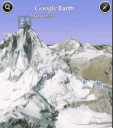
Want the entire planet in your pocket loaded into your iPhone? With Google Earth for iPhone and iPod touch, you can fly to far corners of the planet with just the swipe of a finger. Explore the same global satellite and aerial imagery available in the desktop version of Google Earth, including high-resolution imagery for over half of the world’s population and a third of the world’s land mass.
Place your iPhone on a flat surface to see the 2D view of closeup terrain. Hold you iPhone up vertically to see the 3D birds eye view of the same terrain. Tilting your iPhone will adjust your view of mountainous terrain. If you find the auto motion feature too much you can turn off auto tilt in the options of Google Earth for iPhone. To get back to the original view at any time tap on the compass in the top right corner.
Pinch and double tap to zoom in and out on the planet or any imagery. Get Satellite and aerial imagery for anywhere on the planet. Want something local? Search for cities, places, and businesses around the globe with Google local search. Check out local photos using the Panoramio layer, just tap on any blue box to check out that photo. View related Wikipedia articles using the Wikipedia layer, just tap any “W” box to load up the related Wikipedia page.
Here is a video demo of Google Earth running on the iPhone

5 Comments to “Google Earth”
Leave Comment
About AppSafari
Popular App Review Categories
- Games
- Featured apps
- iPad apps
- Free apps
- Cydia apps
- App Lists
- Music
- Utilities
- Reference
- Social
- Chat
- Video
- Productivity
- Notes
- Fun
- GPS
- Files
- Augmented reality
- Shopping
- Education
- Finance
- Travel
- Food
- Sports
- News
- Weather
- Health
- Movies
- Photos
- VOIP
- Calendar
- Contacts
- Auto
- Dating
- Books
- Web apps
- All categories >>
Recent iPhone App Reviews
- Elevate – Brain Training May 28th, 14
- UpTo Calendar – Syncs with Google Calendar, iCloud, Outlook and more May 28th, 14
- Quip May 23rd, 14
- Marco Polo: Find Your Phone by Shouting MARCO! May 22nd, 14
- Ku – creative social network May 13th, 14
- Personal Zen May 9th, 14
- Fiasco! Free May 9th, 14
- Forza Football (formerly Live Score Addicts) Apr 29th, 14

Earth
Posted on February 3rd, 2009 at 3:04 am byNotice: Only variables should be assigned by reference in /var/www/html/wp-content/plugins/subscribe-to-comments/subscribe-to-comments.php on line 591
Serkan
I’ve tried to download Google earth in my iphone 3gs from SMS from google but could now. It’s says your request can;t be complete……..
Posted on February 28th, 2010 at 9:14 pm byI’have also searched in app but it’s not there.
Notice: Only variables should be assigned by reference in /var/www/html/wp-content/plugins/subscribe-to-comments/subscribe-to-comments.php on line 591
Poplu
I am in Colombia and I have the iphone 3GS with the OS 4.0.1 and I cannot see the google earth app in the list. What happend? I can see the Google earth blog.
Posted on August 5th, 2010 at 3:58 pm byRegards,
Notice: Only variables should be assigned by reference in /var/www/html/wp-content/plugins/subscribe-to-comments/subscribe-to-comments.php on line 591
MIGUEL TORO
you can only download it if you have a USA iTunes account (maybe Europe also). But if your account is from South America (Uruguay for instance) then Google Earth is not available. Any workarounds?? thanks
Posted on February 7th, 2011 at 8:34 am byNotice: Only variables should be assigned by reference in /var/www/html/wp-content/plugins/subscribe-to-comments/subscribe-to-comments.php on line 591
Santiago
Hi there
Posted on March 21st, 2011 at 2:07 am byNotice: Only variables should be assigned by reference in /var/www/html/wp-content/plugins/subscribe-to-comments/subscribe-to-comments.php on line 591
Alice