Google review


 Loading...
Zoom
User Reviews
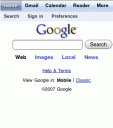
Update: Dec 2007 Google has created an optimized landing page for Google Search with links to all of its iPhone interfaces for various Google products such as Search, Gmail, Calendar, Reader, Docs, Photos, Notebook and more.
The goal is to give you the ability to navigate Google’s various services through a unified interface. To see the new Google interface just visit Google.com from your iPhone Safari browser. As always access the apps listed here by clicking/tapping on the thumbnail images.
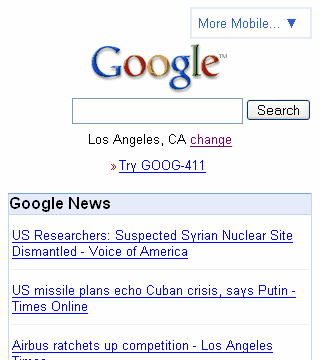
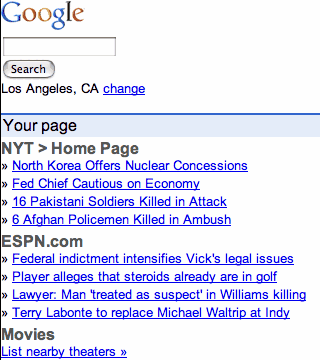
As a reference below are the iPhone interfaces for Google in the past few months:
October 2007 screenshot:
July 2007 screenshot:
You must be using an iPhone to see the iPhone version of this app. Try it here
Deprecated: strlen(): Passing null to parameter #1 ($string) of type string is deprecated in /var/www/html/wp-content/themes/apps/single.php on line 80

2 Comments to “Google”
Leave Comment
About AppSafari
Looking for the best iPhone, iPad & iPod touch apps? Reviews of the best new iPhone apps daily since 2007. The App Store is a jungle. Go on a safari of over 7263 iPhone, iPod touch & iPad apps & discover new iOS apps.
Popular App Review Categories
- Games
- Featured apps
- iPad apps
- Free apps
- Cydia apps
- App Lists
- Music
- Utilities
- Reference
- Social
- Chat
- Video
- Productivity
- Notes
- Fun
- GPS
- Files
- Augmented reality
- Shopping
- Education
- Finance
- Travel
- Food
- Sports
- News
- Weather
- Health
- Movies
- Photos
- VOIP
- Calendar
- Contacts
- Auto
- Dating
- Books
- Web apps
- All categories >>
Recent iPhone App Reviews
- Elevate – Brain Training May 28th, 14
- UpTo Calendar – Syncs with Google Calendar, iCloud, Outlook and more May 28th, 14
- Quip May 23rd, 14
- Marco Polo: Find Your Phone by Shouting MARCO! May 22nd, 14
- Ku – creative social network May 13th, 14
- Personal Zen May 9th, 14
- Fiasco! Free May 9th, 14
- Forza Football (formerly Live Score Addicts) Apr 29th, 14

when i bring up this app in safari on the iphone, no buttons can be pushed and there is no way to type things in. It is not ‘hearing’ my touch. This is not the case with the apple website.
Posted on November 18th, 2007 at 10:32 pm byNotice: Only variables should be assigned by reference in /var/www/html/wp-content/plugins/subscribe-to-comments/subscribe-to-comments.php on line 591
E
How can i view this new interface without the iPhone?
Posted on April 27th, 2008 at 6:24 pm byNotice: Only variables should be assigned by reference in /var/www/html/wp-content/plugins/subscribe-to-comments/subscribe-to-comments.php on line 591
Leo