iPhone Update 1.1.1


 Loading...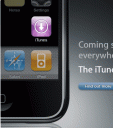
The newly released iPhone update 1.1.1 is available via iTunes. To get it just plug your iPhone in and grab all the new features. After the update you will notice the iTunes app button on your home screen and a series of new features and functionality. However if you do update, you will not be able to brick (add 3rd party iPhone apps, or unlock the carrier) your iPhone.
Here is the list of new features available on the just released iPhone update 1.1.1 via iTunes 7.4.3
- iTunes WiFi music store: Yo can browse, listen to samples and buy songs over a WiFi connection
- Louder speaker phone and receiver volume
- Double-click the home button to jump to Phone Favorites or iPod player shortcuts
- Double-tap the space bar in the keyboard to insert a period and space while typing
- View Attachments in portrait and landscape in Mail
- Sort you Stocks and Weather list
- Battery Status Bar for the Apple Bluetooth Headset
- TV Out allows you to watch your movies on your TV
- EDGE/GPRS can be turned off when roaming internationally
- New Passcode lock time intervals
- Adjustable alert volume
Additionally some of undocumented features in the iPhone 1.1.1 update are:
- Tap Settings / Phone / Change Voicemail Password to Change your voicemail password.
- Tap Settings / Sounds / New Text Message to change the sound for new text messages.
- Tap Settings / Safari / Developer to enable the Debug console in Safari.
- Tap Settings / iPod to enable playing Videos where they left or Closed Captioning.
There are also a set of security fixes made to the iPhone. Here they are:
- An attacker within Bluetooth range may be able to cause an unexpected application termination or arbitrary code execution
- Checking email over untrusted networks may lead to information disclosure via a man-in-the-middle attack
- Following a telephone (“tel:”) link in Mail will dial a phone number without confirmation
- Visiting a malicious website may lead to the disclosure of URL contents
- Visiting a malicious website may lead to unintended dialing or dialing a different number than expected
- Visiting a malicious website may lead to cross-site scripting
- Disabling JavaScript does not take effect until Safari is restarted
- JavaScript on websites may access or manipulate the contents of documents served over HTTPS
Important Note:
Apple is forcefully discouraging 3rd party application development with this release by tightly locking down the iPhone and putting in stronger encryption. Therefore, as a major side effect of the new iPhone 1.1.1 update, all the 3rd party software you have installed on your iPhone via Installer.app or iBrickr will likely be wiped out and new users will not be able install any 3rd party software at this time.
Survey
Will you be upgrading your iPhone to 1.1.1?
- No way! (45%, 99 Votes)
- Already did, and I love it! (22%, 49 Votes)
- I did, but I wish I hadn't (17%, 37 Votes)
- I'm thinking about it... (16%, 35 Votes)
Total Voters: 220
 Loading ...
If you upgraded to 1.1.1 but wish you hadn’t done so, you can downgrade your iPhone to 1.0.2 using the instructions in this video.
Watch a video presentation from Apple on the feature updates here
Deprecated: strlen(): Passing null to parameter #1 ($string) of type string is deprecated in /var/www/html/wp-content/themes/apps/single.php on line 80

3 Comments to “iPhone Update 1.1.1”
Leave Comment
About AppSafari
Popular App Review Categories
- Games
- Featured apps
- iPad apps
- Free apps
- Cydia apps
- App Lists
- Music
- Utilities
- Reference
- Social
- Chat
- Video
- Productivity
- Notes
- Fun
- GPS
- Files
- Augmented reality
- Shopping
- Education
- Finance
- Travel
- Food
- Sports
- News
- Weather
- Health
- Movies
- Photos
- VOIP
- Calendar
- Contacts
- Auto
- Dating
- Books
- Web apps
- All categories >>
Recent iPhone App Reviews
- Elevate – Brain Training May 28th, 14
- UpTo Calendar – Syncs with Google Calendar, iCloud, Outlook and more May 28th, 14
- Quip May 23rd, 14
- Marco Polo: Find Your Phone by Shouting MARCO! May 22nd, 14
- Ku – creative social network May 13th, 14
- Personal Zen May 9th, 14
- Fiasco! Free May 9th, 14
- Forza Football (formerly Live Score Addicts) Apr 29th, 14

The video great! Full downgrade from 1.1.1 to 1.0.2 instructions are posted on the iPhone WebDev Wiki as well.
Posted on September 30th, 2007 at 5:41 pm byNotice: Only variables should be assigned by reference in /var/www/html/wp-content/plugins/subscribe-to-comments/subscribe-to-comments.php on line 591
Yang L.
You can listen to your MP3s on your bluetooth headset with this release. Its another hidden “feature” found by engadget
Posted on September 30th, 2007 at 6:01 pm byNotice: Only variables should be assigned by reference in /var/www/html/wp-content/plugins/subscribe-to-comments/subscribe-to-comments.php on line 591
alex
i upgraded to 1.1.3 then downgraded right back down again is crap
Posted on January 18th, 2008 at 3:04 am byNotice: Only variables should be assigned by reference in /var/www/html/wp-content/plugins/subscribe-to-comments/subscribe-to-comments.php on line 591
named