iToner


 Loading...
Zoom
User Reviews
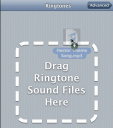
iToner from Ambrosia Software is a Mac utility app that allows you to add your own ringtones to the iPhone. This will allow you to make custom ringtones for your iPhone from your mp3 files. It easily transfers MP3 or AAC audio files to your iPhone using drag and drop, and sync. See some screenshots of the software here. The app costs $15. If you are willing to unlock your iPhone you can also try Song Sender which is a free utility mod.
Here is an iToner video demo:
Try it here
Deprecated: strlen(): Passing null to parameter #1 ($string) of type string is deprecated in /var/www/html/wp-content/themes/apps/single.php on line 80
AppSafari
review of
iToner
was written by
Joe Seifi
on
August 31st, 2007 and categorized under
Cydia Apps, Music, Shareware.
Page viewed 8111 times, 2 so far today.
Need help on using these apps? Please read the Help Page.

2 Comments to “iToner”
Leave Comment
About AppSafari
Looking for the best iPhone, iPad & iPod touch apps? Reviews of the best new iPhone apps daily since 2007. The App Store is a jungle. Go on a safari of over 7263 iPhone, iPod touch & iPad apps & discover new iOS apps.
Popular App Review Categories
- Games
- Featured apps
- iPad apps
- Free apps
- Cydia apps
- App Lists
- Music
- Utilities
- Reference
- Social
- Chat
- Video
- Productivity
- Notes
- Fun
- GPS
- Files
- Augmented reality
- Shopping
- Education
- Finance
- Travel
- Food
- Sports
- News
- Weather
- Health
- Movies
- Photos
- VOIP
- Calendar
- Contacts
- Auto
- Dating
- Books
- Web apps
- All categories >>
Recent iPhone App Reviews
- Elevate – Brain Training May 28th, 14
- UpTo Calendar – Syncs with Google Calendar, iCloud, Outlook and more May 28th, 14
- Quip May 23rd, 14
- Marco Polo: Find Your Phone by Shouting MARCO! May 22nd, 14
- Ku – creative social network May 13th, 14
- Personal Zen May 9th, 14
- Fiasco! Free May 9th, 14
- Forza Football (formerly Live Score Addicts) Apr 29th, 14

Now you can turn any AAC file into an iPhone ringtone in 3 easy steps. Make sure you have iTunes 7.4.1
1) Rename any .m4a file to .m4r
2) Drop that file into iTunes
3) Rename the file back to .m4a
Next time your connect your iPhone and go to the Ringtones tab in iTunes you will see your .m4r files that you can sync as ringtones.
Posted on September 7th, 2007 at 10:45 am byNotice: Only variables should be assigned by reference in /var/www/html/wp-content/plugins/subscribe-to-comments/subscribe-to-comments.php on line 591
Sebastian
There is now a new app for the Mac called iRing which automates the above steps.
Posted on September 10th, 2007 at 12:20 am byNotice: Only variables should be assigned by reference in /var/www/html/wp-content/plugins/subscribe-to-comments/subscribe-to-comments.php on line 591
Cynthia