100sounds review


 Loading...
Zoom
User Reviews
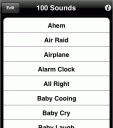
Why limit yourself to 20 sounds? In fact, we set out to create “100sounds” but we got carried away, so you actually get up to 200 sounds/effects/phrases in one low-cost app. Plus you can delay and loop sounds for practical use or practical jokes. And if you’re looking for a sound that’s not included, just request it.
Note: These sounds can’t be used as ringtones.
This 3rd Party App is available at the Apple iTunes AppStore. Browse the full list of all AppStore apps filed under the AppStore category.

7 Comments to “100sounds”
Leave Comment
About AppSafari
Looking for the best iPhone, iPad & iPod touch apps? Reviews of the best new iPhone apps daily since 2007. The App Store is a jungle. Go on a safari of over 7263 iPhone, iPod touch & iPad apps & discover new iOS apps.
Popular App Review Categories
- Games
- Featured apps
- iPad apps
- Free apps
- Cydia apps
- App Lists
- Music
- Utilities
- Reference
- Social
- Chat
- Video
- Productivity
- Notes
- Fun
- GPS
- Files
- Augmented reality
- Shopping
- Education
- Finance
- Travel
- Food
- Sports
- News
- Weather
- Health
- Movies
- Photos
- VOIP
- Calendar
- Contacts
- Auto
- Dating
- Books
- Web apps
- All categories >>
Recent iPhone App Reviews
- Elevate – Brain Training May 28th, 14
- UpTo Calendar – Syncs with Google Calendar, iCloud, Outlook and more May 28th, 14
- Quip May 23rd, 14
- Marco Polo: Find Your Phone by Shouting MARCO! May 22nd, 14
- Ku – creative social network May 13th, 14
- Personal Zen May 9th, 14
- Fiasco! Free May 9th, 14
- Forza Football (formerly Live Score Addicts) Apr 29th, 14

Thanks for listing this! BTW, because a lot of folk have asked, we are providing up to 5 of the sounds (your choice) for use as ringtones, with more directions on our web site, 100sounds.com
Posted on December 26th, 2008 at 4:41 am byNotice: Only variables should be assigned by reference in /var/www/html/wp-content/plugins/subscribe-to-comments/subscribe-to-comments.php on line 591
Todd Bernhard
This is the most worthless app ever! The sounds are lame and they are crappy quality. On top of that, they make all these promises about ringtones, which is BS. The App directs you to the website for more information. Then the website says to go to the application and to press the info button to get ringtones emailed to you. Obviously, the app hasn’t changed since you checked it 5 seconds ago, and it refers you to the website for more information on ringtones.
Posted on April 4th, 2009 at 5:44 pm byLAME!
Notice: Only variables should be assigned by reference in /var/www/html/wp-content/plugins/subscribe-to-comments/subscribe-to-comments.php on line 591
NatalieJ
PLEASE read the website! About 1,000 ringtones are being sent out every day, automatically, to people who follow directions!
Posted on April 4th, 2009 at 5:49 pm byNotice: Only variables should be assigned by reference in /var/www/html/wp-content/plugins/subscribe-to-comments/subscribe-to-comments.php on line 591
Todd Bernhard
Here’s what the website says. Note that it doesn’t just say ‘press the info button’… it says to PRESS THE BUTTON THAT IS ON THE INFO PAGE!
Everyday, 100’s of users are successfully receiving 100’s of ringtones this way. If for ANY reason you can’t, PLEASE EMAIL US but this process works if you follow these directions:
1.Run 100sounds & press the (i) button to see the information page
2.Press the rectangular button to launch our website. YOU MUST USE THIS BUTTON ON YOUR iPhone!
It will not work if you just type our web address!
3.Enter your email address, agree to use ringtones for personal use and press SELECT RINGTONES.
Posted on April 5th, 2009 at 4:41 am byMAKE SURE YOUR EMAIL ADDRESS IS CORRECT!
4.Select ringtones to be emailed to you
Notice: Only variables should be assigned by reference in /var/www/html/wp-content/plugins/subscribe-to-comments/subscribe-to-comments.php on line 591
100sounds
“NatalieJ” is posting this same garbage under the name “ElisabethP” on Apptism.com, and iTunes under “LawStudentJen”! Clearly a jealous competitor.
Posted on April 8th, 2009 at 1:09 am byNotice: Only variables should be assigned by reference in /var/www/html/wp-content/plugins/subscribe-to-comments/subscribe-to-comments.php on line 591
No Tie
Help! Maybe I can’t understand your directions. I’ve purchased your site on my phone. I purchased your site to use as ringtones off of ITUNES. HELP! I can’t get anything to work. Would appreciate your help.
Posted on April 10th, 2009 at 9:34 am byTeri
trkitkat@comcast.net
Notice: Only variables should be assigned by reference in /var/www/html/wp-content/plugins/subscribe-to-comments/subscribe-to-comments.php on line 591
Teri Giannetti
Teri, I’ll email you directly, but our website has some pretty elaborate instructions. Make sure you have the latest version of 100sounds, and you need iTunes 7.4 or newer (that’s when Apple enabled custom ringtones).
Posted on April 10th, 2009 at 10:39 am byNotice: Only variables should be assigned by reference in /var/www/html/wp-content/plugins/subscribe-to-comments/subscribe-to-comments.php on line 591
Todd Bernhard