iPhysics


 Loading...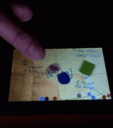
iPhysics is a native 3rd party app that works on iPhone and iPod touch. It uses the motion sensors in the device. You play different levels of puzzles where you need to figure out how to use gravity to move the blue circle to meet the red square using objects that you draw.
To install the app you need to have Installer.app already then:
1. Start Installer.app
2. Click on “Sources”
3. Click on “Edit” button, then “Add” button
4. Type the following: “http://iphone.r4m0n.net/repos”
5. iPhysics should now appear in Installer.app
Here is a video demo of iPhysics in action:
The background music used in the video is Satisfaction by Benny Benassi.
Once you have iPhysics installed you can even download new themes called Levelpacks to make the game even more exciting.
 Current available Levelpacks include: AstroPhysics, BadLeo, Baum, Baum 2, EpiLimiC, iPodTouchMaster05, JungZandvliet, JungZandvliet 2, Marvo, Mindfield’s Newton as a Child,
Moo – Crayon Golf, Rawd, Rawd – Aquarium, Rawd – iPod Touch Sandbox, Rawd – Mario, Rawd – Multi, Rawd 2, SKB, Stephen,
Stephen – The Basics. Here is a sample of how the AstroPhysics Levelpack looks like:
Use iPhone mods and hacks at your own risk! Installing 3rd Party iPhone apps requires you to jailbreak the iPhone before installing the native software and apps. You can use Installer.app for Mac OSX and iBrickr for Windows PC to do this. Browse the full list of all iPhone and iPod touch native 3rd party apps filed under the software category.
Get it here
Deprecated: strlen(): Passing null to parameter #1 ($string) of type string is deprecated in /var/www/html/wp-content/themes/apps/single.php on line 80

One Comment to “iPhysics”
Leave Comment
About AppSafari
Popular App Review Categories
- Games
- Featured apps
- iPad apps
- Free apps
- Cydia apps
- App Lists
- Music
- Utilities
- Reference
- Social
- Chat
- Video
- Productivity
- Notes
- Fun
- GPS
- Files
- Augmented reality
- Shopping
- Education
- Finance
- Travel
- Food
- Sports
- News
- Weather
- Health
- Movies
- Photos
- VOIP
- Calendar
- Contacts
- Auto
- Dating
- Books
- Web apps
- All categories >>
Recent iPhone App Reviews
- Elevate – Brain Training May 28th, 14
- UpTo Calendar – Syncs with Google Calendar, iCloud, Outlook and more May 28th, 14
- Quip May 23rd, 14
- Marco Polo: Find Your Phone by Shouting MARCO! May 22nd, 14
- Ku – creative social network May 13th, 14
- Personal Zen May 9th, 14
- Fiasco! Free May 9th, 14
- Forza Football (formerly Live Score Addicts) Apr 29th, 14

Running 2.2 on 1G Jailbroken phone. The source http://iphone.r4m0n.net/repos is showing “Unable to decode source at http://iphone.r4m0n.net/repos“…… is there a new repository for 2.2 Firmware.
TIA
Posted on January 22nd, 2009 at 11:15 am byNotice: Only variables should be assigned by reference in /var/www/html/wp-content/plugins/subscribe-to-comments/subscribe-to-comments.php on line 591
bizzarefun