Emoji Free review


 Loading...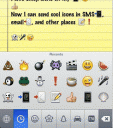
Update: Starting with iOS 5 you can enable the Emoji keyboard from the General settings. To learn how to do this check out the Activating Emoji on a new iOS 5 device or iPhone 4S tutorial page.
Everyone is texting and emailing nowadays; you need a little something to spice up your regular ol’ boring typing. This is where Jon Kean’s iPhone app, Emoji Free, comes in. Taking a page from Japan’s book, it allows you to incorporate emoji (picture characters or emoticons) into whatever you are typing, be it text, note, or email. With over 450 different emojis, there is sure to be something for every occasion or every type of message. Here are instructions on how to add emojis into your iPhone for use:
– Launch Emoji Free and follow the instructions on the screen until you reach a screen that says SUCCESS (it may take a couple minutes)
– Quit Emoji Free and open the Settings
– In Settings, go to General -> International -> Keyboards -> Japanese
– Turn the Emoji switch to ON
Cute and useful, the Emoji Free iPhone app is completely a worthwhile download. And best of all, in the grand Asian tradition of frugality, it’s free.

24 Comments to “Emoji Free”
Leave Comment
About AppSafari
Popular App Review Categories
- Games
- Featured apps
- iPad apps
- Free apps
- Cydia apps
- App Lists
- Music
- Utilities
- Reference
- Social
- Chat
- Video
- Productivity
- Notes
- Fun
- GPS
- Files
- Augmented reality
- Shopping
- Education
- Finance
- Travel
- Food
- Sports
- News
- Weather
- Health
- Movies
- Photos
- VOIP
- Calendar
- Contacts
- Auto
- Dating
- Books
- Web apps
- All categories >>
Recent iPhone App Reviews
- Elevate – Brain Training May 28th, 14
- UpTo Calendar – Syncs with Google Calendar, iCloud, Outlook and more May 28th, 14
- Quip May 23rd, 14
- Marco Polo: Find Your Phone by Shouting MARCO! May 22nd, 14
- Ku – creative social network May 13th, 14
- Personal Zen May 9th, 14
- Fiasco! Free May 9th, 14
- Forza Football (formerly Live Score Addicts) Apr 29th, 14

Make sure you follow the directions, makes it a whole lot easier!! Trust me I use to copy a paste.
Posted on November 16th, 2009 at 4:24 pm byNotice: Only variables should be assigned by reference in /var/www/html/wp-content/plugins/subscribe-to-comments/subscribe-to-comments.php on line 591
Adrian
I like this product
Posted on November 24th, 2009 at 8:02 pm byNotice: Only variables should be assigned by reference in /var/www/html/wp-content/plugins/subscribe-to-comments/subscribe-to-comments.php on line 591
Ruben colunga
I don’t get the instuctions!! Someone please help me!!
Posted on January 18th, 2010 at 9:47 pm byNotice: Only variables should be assigned by reference in /var/www/html/wp-content/plugins/subscribe-to-comments/subscribe-to-comments.php on line 591
JJ
I lIke this product
Posted on February 5th, 2010 at 10:12 am byNotice: Only variables should be assigned by reference in /var/www/html/wp-content/plugins/subscribe-to-comments/subscribe-to-comments.php on line 591
edgar
I have the text free lite app and I apply the emoticans don’t show up on my daughters IPhone.
Posted on February 7th, 2010 at 5:13 pm byNotice: Only variables should be assigned by reference in /var/www/html/wp-content/plugins/subscribe-to-comments/subscribe-to-comments.php on line 591
Andrew Hankins
I can’t get it to work..it didnt put it in my chat. 🙁
Posted on May 22nd, 2010 at 7:37 am byNotice: Only variables should be assigned by reference in /var/www/html/wp-content/plugins/subscribe-to-comments/subscribe-to-comments.php on line 591
vicki
Go
Posted on October 10th, 2010 at 1:58 am byNotice: Only variables should be assigned by reference in /var/www/html/wp-content/plugins/subscribe-to-comments/subscribe-to-comments.php on line 591
Met
You don’t even need an app for the Iphone 4 just go to the General>International>Keyboards>Emoji
It is not under Japanese.
Posted on October 15th, 2010 at 9:18 am byNotice: Only variables should be assigned by reference in /var/www/html/wp-content/plugins/subscribe-to-comments/subscribe-to-comments.php on line 591
Will
U NEED CHEATS 4 IT!!!!!
Posted on October 19th, 2010 at 5:17 am byNotice: Only variables should be assigned by reference in /var/www/html/wp-content/plugins/subscribe-to-comments/subscribe-to-comments.php on line 591
Monkey D. Luffy
good
Posted on December 8th, 2010 at 10:26 pm byNotice: Only variables should be assigned by reference in /var/www/html/wp-content/plugins/subscribe-to-comments/subscribe-to-comments.php on line 591
richard li
i want it
Posted on December 11th, 2010 at 6:51 am byNotice: Only variables should be assigned by reference in /var/www/html/wp-content/plugins/subscribe-to-comments/subscribe-to-comments.php on line 591
saya
Good:)
Posted on February 2nd, 2011 at 7:27 pm byNotice: Only variables should be assigned by reference in /var/www/html/wp-content/plugins/subscribe-to-comments/subscribe-to-comments.php on line 591
Karly
thx u
Posted on May 11th, 2011 at 2:05 am byNotice: Only variables should be assigned by reference in /var/www/html/wp-content/plugins/subscribe-to-comments/subscribe-to-comments.php on line 591
66560327
Es una linda aplicacion
Posted on October 7th, 2011 at 7:07 pm byNotice: Only variables should be assigned by reference in /var/www/html/wp-content/plugins/subscribe-to-comments/subscribe-to-comments.php on line 591
Ángel rivera
Good
Posted on October 23rd, 2011 at 10:16 pm byNotice: Only variables should be assigned by reference in /var/www/html/wp-content/plugins/subscribe-to-comments/subscribe-to-comments.php on line 591
Nada
Sory
Posted on October 23rd, 2011 at 10:40 pm byNotice: Only variables should be assigned by reference in /var/www/html/wp-content/plugins/subscribe-to-comments/subscribe-to-comments.php on line 591
Nada
What is it right I don’t no what is the comment
Posted on November 3rd, 2011 at 5:55 pm byNotice: Only variables should be assigned by reference in /var/www/html/wp-content/plugins/subscribe-to-comments/subscribe-to-comments.php on line 591
ali alnasser
Love it!
Posted on February 26th, 2012 at 2:03 pm byNotice: Only variables should be assigned by reference in /var/www/html/wp-content/plugins/subscribe-to-comments/subscribe-to-comments.php on line 591
Debra
Why dont you have mangos on the fruit section of the emojis? Please add them !!!! I hate not being able to send them !
Posted on May 20th, 2013 at 4:56 pm byNotice: Only variables should be assigned by reference in /var/www/html/wp-content/plugins/subscribe-to-comments/subscribe-to-comments.php on line 591
hope rangel
MY FIRST APP EVER!!!
Posted on February 27th, 2014 at 11:17 am byAnd IT’S Emoji!!!!
I know I’ll LOVE IT cuz I’ve SO enjoyed receiving ALL
the FUNNY & AWSOME things FROM MY FRIENDS & FAMILY!!! I can not wait to use EMOJI!!
Who will I Emoji First??
Notice: Only variables should be assigned by reference in /var/www/html/wp-content/plugins/subscribe-to-comments/subscribe-to-comments.php on line 591
Shara Pace
Please redu the middle finger emoji. Make it bigger & flip it so the fingers are showing cause now you can’t tell what it is.
Posted on October 30th, 2015 at 2:36 am byNotice: Only variables should be assigned by reference in /var/www/html/wp-content/plugins/subscribe-to-comments/subscribe-to-comments.php on line 591
Kay
Her guys love the emojis especially the flags and I think it would be amazing if you added the Yugoslavian flag
Posted on January 16th, 2016 at 4:43 am byNotice: Only variables should be assigned by reference in /var/www/html/wp-content/plugins/subscribe-to-comments/subscribe-to-comments.php on line 591
BrookeDjuric
It’s very sad that you have emojis for everything but for a pregnant woman! This is a very emotional stage in a woman life and I would like to at least have an emoji to represent it. I am really hoping you will take this into consideration. I love emojis and it was very dissapointing not to find one for pregnancy. Thank you,
Posted on November 11th, 2016 at 11:50 am byAlaina
Notice: Only variables should be assigned by reference in /var/www/html/wp-content/plugins/subscribe-to-comments/subscribe-to-comments.php on line 591
Alaina
Every got what they wanted…EVERYONE. EXCEPT REDHEADS!!!!!!!!!!!! Give us redheads the emojis we deserve!! There’s a day dedicated to us worldwide and emoji isn’t recognizing us! You’ve recognized LGBT, all colors of hair and skin, all the countries, almost every animal, the seasons, and professions! People from all walks, but you haven’t recognized redheads. GIVE US REDHEAD EMOJIS!!!
Posted on December 19th, 2016 at 5:00 am byNotice: Only variables should be assigned by reference in /var/www/html/wp-content/plugins/subscribe-to-comments/subscribe-to-comments.php on line 591
Kelly