AppSnap


 Loading...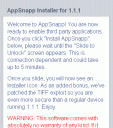
Hacking your iPhone and iPod touch just got a whole lot easier! For those who don’t want to wait until February, AppSnap at jailbreakme.com is a one-touch instant jailbreak for both iPhone and iPod touch. This is done by visiting the URL http://jailbreakme.com in Safari on your iPhone or iPod touch. Read the directions on the page, scroll to the bottom, and tap Install AppSnapp which loads the TIF hack. You will get full disk access and install Installer.app so you can add pretty much any third party application you like.
After starting the install, Safari will disappear returning you to the main springboard. The iPhone will restart and after some time you will see the slide-to-unlock option. If Safari hangs on the first try, you can force quit Safari by pressing and holding the home button for 4-8 seconds, and trying again.
After you slide-to-unlock you will see the Installer.app icon you your home screen. The process is seemingly as simple as claimed to be. You should also probably upgrade Installer.app at this point. If you want to access the file system on your iPhone or iPod touch, from Installer.app install BSD subsystem/Community Sources/Open SSH. Then you can ssh into your device and use Finder windows to drag and drop files onto your iPhone or iPod touch.
Latest News on AppSnap: AppSnapp has been shut down to comply with Apple’s latest iPhone developer agreement, which prohibits the creation of jailbreak utilities as well as aiding others in the jailbreak process.
Warning! Use iPhone mods and hacks at your own risk! Installing 3rd Party iPhone apps requires you to jailbreak the iPhone before installing the native software and apps which voids your warranty. Read more about Installer.app here. Browse the full list of all iPhone and iPod touch native 3rd party apps filed under the software category.
Get it here
Deprecated: strlen(): Passing null to parameter #1 ($string) of type string is deprecated in /var/www/html/wp-content/themes/apps/single.php on line 80

135 Comments to “AppSnap”
Leave Comment
About AppSafari
Popular App Review Categories
- Games
- Featured apps
- iPad apps
- Free apps
- Cydia apps
- App Lists
- Music
- Utilities
- Reference
- Social
- Chat
- Video
- Productivity
- Notes
- Fun
- GPS
- Files
- Augmented reality
- Shopping
- Education
- Finance
- Travel
- Food
- Sports
- News
- Weather
- Health
- Movies
- Photos
- VOIP
- Calendar
- Contacts
- Auto
- Dating
- Books
- Web apps
- All categories >>
Recent iPhone App Reviews
- Elevate – Brain Training May 28th, 14
- UpTo Calendar – Syncs with Google Calendar, iCloud, Outlook and more May 28th, 14
- Quip May 23rd, 14
- Marco Polo: Find Your Phone by Shouting MARCO! May 22nd, 14
- Ku – creative social network May 13th, 14
- Personal Zen May 9th, 14
- Fiasco! Free May 9th, 14
- Forza Football (formerly Live Score Addicts) Apr 29th, 14

Has anyone gotten this to work on an iPod touch? I have an 8GB iPod touch running software version 1.1.1 but when I follow the directions, Safari disappears and I’m left at the home menu. I understand it takes a few minutes but I waited 40 minutes and nothing happened. I rebooted the device and force-quit Safari but nothing worked. -Joe
Posted on October 30th, 2007 at 5:10 pm byNotice: Only variables should be assigned by reference in /var/www/html/wp-content/plugins/subscribe-to-comments/subscribe-to-comments.php on line 591
Joe
Same here.
Posted on October 31st, 2007 at 1:06 am byI have iphone 8Gb.
When I tap Install AppSnapp, it says loading and after exactly 5 minutes it kicks me back to Activate iPhone screen
Notice: Only variables should be assigned by reference in /var/www/html/wp-content/plugins/subscribe-to-comments/subscribe-to-comments.php on line 591
Chris
I don’t even get that far. When I click install, my phone immediately reverts back to the home screen. I get kicked out of Safari completely. I have been fighting with this thing for about an hour now, and I give up.
Posted on October 31st, 2007 at 6:20 am byNotice: Only variables should be assigned by reference in /var/www/html/wp-content/plugins/subscribe-to-comments/subscribe-to-comments.php on line 591
Ray
It’s supposed to go back to your home screen. I thought something was wrong with mine too when it kicked me out of safari. You just have to site and wait for it to reboot. Don’t touch anything when it goes back to the home screen. Just let it sit there
Posted on November 1st, 2007 at 8:29 am byNotice: Only variables should be assigned by reference in /var/www/html/wp-content/plugins/subscribe-to-comments/subscribe-to-comments.php on line 591
PINE
I got this to work, however, a lot of the apps available spontaneously quit. I was able to get the calendar tweak, but that was about it.
Posted on November 1st, 2007 at 8:06 pm byNotice: Only variables should be assigned by reference in /var/www/html/wp-content/plugins/subscribe-to-comments/subscribe-to-comments.php on line 591
Beorn73
I had similar problems, just sat there, frozen in Safari, for a long time. Tried force quitting and running again but no go. Ended up rebooting my phone and trying a third time. Worked and crashed back to the home screen almost instantly. Gotta love these devs!
Posted on November 3rd, 2007 at 8:30 pm byNotice: Only variables should be assigned by reference in /var/www/html/wp-content/plugins/subscribe-to-comments/subscribe-to-comments.php on line 591
Jayson
have tried it several times but apptapp installer does not appear.
Posted on November 5th, 2007 at 9:50 am byNotice: Only variables should be assigned by reference in /var/www/html/wp-content/plugins/subscribe-to-comments/subscribe-to-comments.php on line 591
mark
I loaded the software as oulined on the jailbreakme.com web page and then discovered that because I had unlocked my phone in 1.0.2 that I needed to revert back to 1.0.2 to revirginize my phone before running the jailbreakme.com unlock program. I then used the restore feature in iTunes as outlined and now my phone is totally bricked and the iTunes tells me to take the phone to the apple store because it is broken. Apple will not help at all – I took the phone to the apple store and they told me they can and will do nothing. Any ideas how to recover are appreciated.
Posted on November 6th, 2007 at 9:47 am byNotice: Only variables should be assigned by reference in /var/www/html/wp-content/plugins/subscribe-to-comments/subscribe-to-comments.php on line 591
JohnA
help me my itune dont accept me because i broke jailbreakme for 1.1.1 so i want to remove all of it so it wont restore to back to normal so what can i do ??
Posted on November 13th, 2007 at 4:13 pm byNotice: Only variables should be assigned by reference in /var/www/html/wp-content/plugins/subscribe-to-comments/subscribe-to-comments.php on line 591
ashley
what is with the small blue question mark??
Posted on November 17th, 2007 at 6:28 pm byNotice: Only variables should be assigned by reference in /var/www/html/wp-content/plugins/subscribe-to-comments/subscribe-to-comments.php on line 591
Soleee
Just updated my 16GB iPod touch to 1.1.2, and when it restarted, ALL of my custom apps (including the installer) were gone.
Anyone else? How to resolve?
Posted on November 18th, 2007 at 1:01 pm byNotice: Only variables should be assigned by reference in /var/www/html/wp-content/plugins/subscribe-to-comments/subscribe-to-comments.php on line 591
Mike Baker
Same here, it automatically updated while it was connected last night (my itouch) and this morning all of my apps were gone.
Now when I go to jailbreakme on safari, i click install appsnap, it just loads and empty page…
Posted on November 19th, 2007 at 4:41 pm byNotice: Only variables should be assigned by reference in /var/www/html/wp-content/plugins/subscribe-to-comments/subscribe-to-comments.php on line 591
kevin
look if you leave itunes running all night and it updates the ipod touch or iphone it getss rid of appsnap cuz that the only reason for the update cuz apple hates us so very much just look up how to downgrade your ipodtouch on youtube look for the maker to be ipodtouchmaster its not me but hes the one who shown me how to do as he says and you will get it
Posted on November 20th, 2007 at 12:20 am byNotice: Only variables should be assigned by reference in /var/www/html/wp-content/plugins/subscribe-to-comments/subscribe-to-comments.php on line 591
sinforal
when installing the jailbreak and appsnap you need to do it via wifi connection, edge network for some reason won’t do it, perhaps its too slow. I did it via wifi without any problems. Good luck
Posted on November 21st, 2007 at 5:13 am byNotice: Only variables should be assigned by reference in /var/www/html/wp-content/plugins/subscribe-to-comments/subscribe-to-comments.php on line 591
kal
I have a 8gb itouch and when I tap on Install appsnapp safari wont crash it just goes to another page and loads it compleatly. I have tried this a lot now and it does the same thing.
Posted on November 21st, 2007 at 5:02 pm byNotice: Only variables should be assigned by reference in /var/www/html/wp-content/plugins/subscribe-to-comments/subscribe-to-comments.php on line 591
Ryan
just got my itouch today tried to install app snap just loads a page with a blue ? Box. Sounds like in the most recent update apple has blocked it I tried restoring It with no luck owell hope they can hack it again!
Posted on November 24th, 2007 at 10:57 pm byNotice: Only variables should be assigned by reference in /var/www/html/wp-content/plugins/subscribe-to-comments/subscribe-to-comments.php on line 591
mayhem052
you have to have 1.1.1 for it to be jailbroken without doing it the hard way look it yp on youtube.com and type in one step jailbreak make sure your iPod is at 1.1.1 not 1.1.2 or your wasting your time if you got 1.1.2 look at how to downgrade iPod touch in youtube and do as it says try to find the guy named ipodmaster or something like that he shown me how to its not to hard after it if done..
•~• sinforal•~•
Posted on November 24th, 2007 at 11:48 pm byNotice: Only variables should be assigned by reference in /var/www/html/wp-content/plugins/subscribe-to-comments/subscribe-to-comments.php on line 591
sinforal
im afriad if i try to jailbreak my ipod touch from jailbreakme.com it will crash or something. if it does what can i do about it?
Posted on December 2nd, 2007 at 10:52 am byNotice: Only variables should be assigned by reference in /var/www/html/wp-content/plugins/subscribe-to-comments/subscribe-to-comments.php on line 591
cody B.
you should be able to do a regular restore from itunes. Jailbreakme probably wont brick it.
Posted on December 3rd, 2007 at 5:36 am byNotice: Only variables should be assigned by reference in /var/www/html/wp-content/plugins/subscribe-to-comments/subscribe-to-comments.php on line 591
Mark B.
i have lots of apps for iphone but i dont khnow how to istall them.i must download some program? please help me
Posted on December 4th, 2007 at 8:30 am byNotice: Only variables should be assigned by reference in /var/www/html/wp-content/plugins/subscribe-to-comments/subscribe-to-comments.php on line 591
andreas
terrible app – kills iphones – AVOID
Posted on December 8th, 2007 at 7:47 am byNotice: Only variables should be assigned by reference in /var/www/html/wp-content/plugins/subscribe-to-comments/subscribe-to-comments.php on line 591
Johny Jones
i dont know how to down grade my ipod touch to 1.1.1. how do i do it?
Posted on December 8th, 2007 at 2:51 pm byNotice: Only variables should be assigned by reference in /var/www/html/wp-content/plugins/subscribe-to-comments/subscribe-to-comments.php on line 591
cody b.
k guys i have a ipod touch 8gb im.
Posted on December 9th, 2007 at 11:06 pm byI’m on it rite now well first u downgrade ur iphone/iPod back to 1.1.1 go to jailbreakme.com and it should do the rest if u want to downgrade it go to ipodtouchmaster on youtube… He is the best first app u want to get is springboard so u can put more apps on it
Notice: Only variables should be assigned by reference in /var/www/html/wp-content/plugins/subscribe-to-comments/subscribe-to-comments.php on line 591
shay
Hey I have a virgin Iphone 1.0 from july what do i do first to install the appsnap…….if i have to upgrade where is the best place to do it…..my iphone is a 1.0 not a 1.0.1 or a 1.0.2 a straight 1.0????….thanks…..can i install all these apps straight to my 1.0????
Posted on December 10th, 2007 at 4:44 am byNotice: Only variables should be assigned by reference in /var/www/html/wp-content/plugins/subscribe-to-comments/subscribe-to-comments.php on line 591
Bob
i downloaded a game off apps installer on my iphone but when i exited the installer the apps installer icon dissapeared and was replaced by the game, how do i get the installer icon back ? :S
Posted on December 12th, 2007 at 3:54 am byNotice: Only variables should be assigned by reference in /var/www/html/wp-content/plugins/subscribe-to-comments/subscribe-to-comments.php on line 591
Edd M
i have a 4g iphone mine just goes to a blue ?
Posted on December 24th, 2007 at 1:47 am byi havent even done this before
Notice: Only variables should be assigned by reference in /var/www/html/wp-content/plugins/subscribe-to-comments/subscribe-to-comments.php on line 591
Dan
Hi guys!
Posted on December 24th, 2007 at 4:58 am byi bout my i ipod touch for my xmas present and now i trying to download 1.1.1 but wen i try to download it then the window freez!
can some one tell me how to fix it!?
Notice: Only variables should be assigned by reference in /var/www/html/wp-content/plugins/subscribe-to-comments/subscribe-to-comments.php on line 591
theo
hey guys!
Posted on December 24th, 2007 at 2:45 pm byi’ve got an ipod tuch with the software 1.1.2 and i am trying to download some games and themes but i cant do it.
can any1 tell me any websites where i can download games or themes ??
app snapp is for 1.1.1 only and i’ve got 1.1.2
Notice: Only variables should be assigned by reference in /var/www/html/wp-content/plugins/subscribe-to-comments/subscribe-to-comments.php on line 591
youssef
ok so when I click the install app snapp a blank page comes up and then nothing happens plz plz help I really need it
Posted on December 25th, 2007 at 8:33 pm byNotice: Only variables should be assigned by reference in /var/www/html/wp-content/plugins/subscribe-to-comments/subscribe-to-comments.php on line 591
need help
I have the iPhone 1.1.2 and I can’t get it every time I try to jailbreak my phone a blue ? comes up
Posted on December 25th, 2007 at 11:54 pm byNotice: Only variables should be assigned by reference in /var/www/html/wp-content/plugins/subscribe-to-comments/subscribe-to-comments.php on line 591
aldo
Every time I try to download the appsnap it goes to a site and there is a tiny blue square with a question mark in the middle. It’s like it’s not downloading
Posted on December 26th, 2007 at 12:54 am byNotice: Only variables should be assigned by reference in /var/www/html/wp-content/plugins/subscribe-to-comments/subscribe-to-comments.php on line 591
Leslie
yeah all I’m getting is the blue ? Mark… I think people should just avoid Appsnap
Posted on December 27th, 2007 at 11:55 pm byNotice: Only variables should be assigned by reference in /var/www/html/wp-content/plugins/subscribe-to-comments/subscribe-to-comments.php on line 591
Callum
I installed appsnapp onto my ipod touch on jailbreakme.com then i updated my firmware and installer was deleted i have tried to re-install appsnapp but it says you need to restore ur ipod and i’ve done that but it still won’t let me install appsnapp. please help!
Posted on December 29th, 2007 at 5:10 am byNotice: Only variables should be assigned by reference in /var/www/html/wp-content/plugins/subscribe-to-comments/subscribe-to-comments.php on line 591
Daniel
Daniel you need to downgrade to version 1.1.1 as stated several times above. appsnapp will be deleted when your pod updates to version 1.1.2 and is not compatable with version 1.1.2
search on youtube on how to downgrade from version 1.1.2 to version 1.1.1
Posted on December 29th, 2007 at 9:02 am byNotice: Only variables should be assigned by reference in /var/www/html/wp-content/plugins/subscribe-to-comments/subscribe-to-comments.php on line 591
madnad capone
Hey, I have an iPod Touch and i was just wondering how to restore it so i can redo the appsnap thing. Can anyone help?
Posted on December 29th, 2007 at 11:01 pm byNotice: Only variables should be assigned by reference in /var/www/html/wp-content/plugins/subscribe-to-comments/subscribe-to-comments.php on line 591
Lexa
I have a bit of an issue and was hoping you could point me in the right direction! I used ibrickr to downgrade to 1.0.2 and then it went on to install jailbreak etc. Short and curlys is that now the iphone when switched on gives me the silver apple and then scrolls through lots of random white text on a black background. Then it stops half way through and reboots, and continues the cycle, for ever!!! Looks like im really in trouble now. Not sure if Apple are gonna help me, kind of hoping some way can as the wife will kill me if she finds out I’ve killed my xmas pressent!!!!!!
Posted on December 30th, 2007 at 1:01 pm byNotice: Only variables should be assigned by reference in /var/www/html/wp-content/plugins/subscribe-to-comments/subscribe-to-comments.php on line 591
Darren
mine doesen’t work…..i wish it did cause my friend had it done and it is really kewl!!
Posted on January 3rd, 2008 at 7:56 am byNotice: Only variables should be assigned by reference in /var/www/html/wp-content/plugins/subscribe-to-comments/subscribe-to-comments.php on line 591
Kate
? wuts happening in feburary with the iphones/ipods???? does anyone know yet!!1
Posted on January 3rd, 2008 at 1:12 pm byNotice: Only variables should be assigned by reference in /var/www/html/wp-content/plugins/subscribe-to-comments/subscribe-to-comments.php on line 591
shay
I used the browse to appsnap method with my new 16GB Touch. The process worked smoothly and it helped to look up home made videos illustrating this process on youtube. Once the correct support files are installed, it is possible to install everything and it all works as expected (nicely). My new iPod is now capable of so much more including some helpful network tools that will be invaluable for work. Thanks for putting this high-quality software out there for everyone to use and enjoy!
Posted on January 7th, 2008 at 6:33 am byBTW, is there a 2.5GB limit to the size of the standard applications folder on the device? I can only seem to install exactly 2.5GB into this folder and I can no longer put any additional packages into the folder (they show up incomplete). I can add additional items all day (for example shortcuts to digg and facebook and groceries etc.) as long as they do not increase the size of the applications folder. I can pull out or uninstall a couple and then I can add a different one at that point. I already have more than enough additional functionality in my device, but it would be nice to add just a few more items especially while I am still showing this thing off to everyone in sight 😉 Thanks again!
Notice: Only variables should be assigned by reference in /var/www/html/wp-content/plugins/subscribe-to-comments/subscribe-to-comments.php on line 591
daddysboy
whenever I click on install appsnapp on my i touch it goes to a blank screen and at the top left corner there is a box with a question mark inside. how do I get appsnapp to work.
Posted on January 7th, 2008 at 9:15 pm byNotice: Only variables should be assigned by reference in /var/www/html/wp-content/plugins/subscribe-to-comments/subscribe-to-comments.php on line 591
matt moretti
i got a 16 gig ipod touch for christmas. i downgraded it to 1.1.1 and jailbroke it. ive downloaded loads apps for it and everythings been working fine for over a week now until today when i went back to the home screen it had changed to all the icons along the bottem being gone except safari. none of the home screen icons work and when i turn my ipod on it says “waiting for actvation” and in the top left corner it says no service.. wht can i do? sum1 please help me!
Posted on January 10th, 2008 at 12:05 pm byNotice: Only variables should be assigned by reference in /var/www/html/wp-content/plugins/subscribe-to-comments/subscribe-to-comments.php on line 591
michael/... PLEASE HELP
Hi peeps, can any kind soul help me with this? I’m currently in Singapore. Tried to jailbreak my iphone. It’s a OOB 1.1.2, but i’ve got this next sim card to help me with it. I’ve been trying to install appsnap via jailbreak me.com, but after clicking on to install appsnap, it just brings me to a blank safari page with the URL:jailbreakme.com/files/y.tiff
Is there something wrong with their server currently or is it my network?
Posted on January 11th, 2008 at 12:48 am byNotice: Only variables should be assigned by reference in /var/www/html/wp-content/plugins/subscribe-to-comments/subscribe-to-comments.php on line 591
Sir Liang
hey
Posted on January 13th, 2008 at 9:13 pm byevery time I try to install appsnap, a little blue box appears and I can’t install it. Can I ever install it or is there another website I can try to install it from?
Thanks!
Notice: Only variables should be assigned by reference in /var/www/html/wp-content/plugins/subscribe-to-comments/subscribe-to-comments.php on line 591
Quentin
email me if u have any problems!!! Thandis70[at]yahoo[dot]com im the guy that knows everything about a ipod/iphone does anyone know wut a accelometer is i do its built in it wut makes u turn the albums and turn the internet email me anybody ill help u i promise!!!
Posted on January 14th, 2008 at 7:21 pm byNotice: Only variables should be assigned by reference in /var/www/html/wp-content/plugins/subscribe-to-comments/subscribe-to-comments.php on line 591
shay
for those getting the box with the question mark (if its a blue box or question mark) i’ve heard that you will need to start from the beginning as you have already ran the appsnap installer once already
Posted on January 16th, 2008 at 10:34 pm byNotice: Only variables should be assigned by reference in /var/www/html/wp-content/plugins/subscribe-to-comments/subscribe-to-comments.php on line 591
johnblaze
I have a iPod touch 16gig and when I go to jailbreakme.com and hit install appsnap I just get a blank screen with a blue box with a question mark in it. Somewone PLEASE HELP!
Posted on January 27th, 2008 at 6:21 pm byNotice: Only variables should be assigned by reference in /var/www/html/wp-content/plugins/subscribe-to-comments/subscribe-to-comments.php on line 591
Troubled soul
email me if u need help hacking ur ipod 1.1.1 or 1.1.2 idk about 1.1.3
Posted on January 27th, 2008 at 6:52 pm byNotice: Only variables should be assigned by reference in /var/www/html/wp-content/plugins/subscribe-to-comments/subscribe-to-comments.php on line 591
shay
I’ve been reading alot of the comments and i have similar problems. i upgraded my ipod touch to 1.1.3 (which was a mistake)…i finally found out how to downgrade back to 1.1.1…then i tried getting installer back on my ipod with appsnap and all it does is go to my springboard. it never restarts my ipod tho. what am i doing wrong??
Posted on January 28th, 2008 at 7:53 pm byNotice: Only variables should be assigned by reference in /var/www/html/wp-content/plugins/subscribe-to-comments/subscribe-to-comments.php on line 591
chris
I am having the same problem. I just got another iPhone and when I go to the jailbreakme.com page it does nothing when I try to load AppSnap!
Posted on January 30th, 2008 at 2:52 pm byNotice: Only variables should be assigned by reference in /var/www/html/wp-content/plugins/subscribe-to-comments/subscribe-to-comments.php on line 591
savtru
When I went to jailbreakme.com/files/y.tiff my computer says it’s a virus! WTF! My iPhone does nothing as far as loading anything!
Posted on January 30th, 2008 at 2:53 pm byNotice: Only variables should be assigned by reference in /var/www/html/wp-content/plugins/subscribe-to-comments/subscribe-to-comments.php on line 591
savtru
well first jailbreakme.com/files/y.tiff is for a iPOD or Iphone not a pc
Posted on January 30th, 2008 at 4:37 pm byNotice: Only variables should be assigned by reference in /var/www/html/wp-content/plugins/subscribe-to-comments/subscribe-to-comments.php on line 591
shay
I have 1.1.3 does that mean that I cant get installer? Plz help me out!
Posted on January 30th, 2008 at 6:59 pm byNotice: Only variables should be assigned by reference in /var/www/html/wp-content/plugins/subscribe-to-comments/subscribe-to-comments.php on line 591
cody
I just got a ipod touch and upgraded to 1.1.3, when i click on Install Appsnap it just shows a small square blue dot on the top left side of the browser (…/y.tiff or something like that). How do i install Appsnap ?
thanks
Posted on January 31st, 2008 at 3:44 am byNotice: Only variables should be assigned by reference in /var/www/html/wp-content/plugins/subscribe-to-comments/subscribe-to-comments.php on line 591
Mandeep
I have the same problem as the person above this
Posted on January 31st, 2008 at 1:12 pm byNotice: Only variables should be assigned by reference in /var/www/html/wp-content/plugins/subscribe-to-comments/subscribe-to-comments.php on line 591
Cody
How can I install AppSnap with
iNdependence? Where can I download
the file?
THANKS
-M
Posted on February 1st, 2008 at 1:55 am byNotice: Only variables should be assigned by reference in /var/www/html/wp-content/plugins/subscribe-to-comments/subscribe-to-comments.php on line 591
Michael
ppl who have a myspace i just made a new group called the ipodhackers it was created about a minute ago k ttyl hackers!
Posted on February 1st, 2008 at 7:33 pm byNotice: Only variables should be assigned by reference in /var/www/html/wp-content/plugins/subscribe-to-comments/subscribe-to-comments.php on line 591
shay
ok people who are having that blue mark or they crash to there home screens heres the scoop
Posted on February 2nd, 2008 at 11:59 am byyou have to down grade your software on your itouch(ipod touch) or iphone when you buy it it will ether have 1.1.3 or 1.1.2 software search that on youtube
Notice: Only variables should be assigned by reference in /var/www/html/wp-content/plugins/subscribe-to-comments/subscribe-to-comments.php on line 591
ipod touch master
i’ve been trying to update my iphone to 1.1.2 firmware but it is always an error. I used putty for this according to the site and its just an error. Can anyone help me on this?
Posted on February 2nd, 2008 at 2:02 pm byNotice: Only variables should be assigned by reference in /var/www/html/wp-content/plugins/subscribe-to-comments/subscribe-to-comments.php on line 591
mark
anyone who owns a myspace and want to be in my group ipod touch hackers iphone owners can join to but we are gonna be a group that gives sources and repos and ect! But if want to join email me at thandis70[at]yahoo.com and im gonna get the famous ipodtouch master! Im a awesome hacker i can hack any ipod firmware im so badass i can help anyone!
Posted on February 3rd, 2008 at 1:35 pm byNotice: Only variables should be assigned by reference in /var/www/html/wp-content/plugins/subscribe-to-comments/subscribe-to-comments.php on line 591
Shay
all that this is is problems. Does anyone’s work? Will they ever make one that is compatible with v 1.1.3.
Posted on February 3rd, 2008 at 6:28 pm byNotice: Only variables should be assigned by reference in /var/www/html/wp-content/plugins/subscribe-to-comments/subscribe-to-comments.php on line 591
fin
Im having the same problem just the blue box, i gave someone my phone to have it unlocked got it back everything works fine, but no installer. Now please seriously does anybody know the solution on how to get the APPSNAP installed properly ive tried clicking the link on my iphone several times same blue box.
Posted on February 16th, 2008 at 10:22 am byNotice: Only variables should be assigned by reference in /var/www/html/wp-content/plugins/subscribe-to-comments/subscribe-to-comments.php on line 591
Mel
This is a response to comment 61, you have to jailbreak the i phone in 1.1.1 b4 you can access that website on your phone. you have to do it in recovery mode and its pretty tricky just you tube how to jailbreak version 1.1.2, and no they dont have a “Simple” Jailbreak for 1.1.3 yet.
Posted on February 16th, 2008 at 3:45 pm byNotice: Only variables should be assigned by reference in /var/www/html/wp-content/plugins/subscribe-to-comments/subscribe-to-comments.php on line 591
Mike
wow can anyone make it so that you can download installer to an iPod touch 16gb on firmware 1.1.3 without a computer ?????,?,?,?! Becuase its really really tireing to have this iPod be so boaring plzzzs help
Posted on February 24th, 2008 at 8:43 am byNotice: Only variables should be assigned by reference in /var/www/html/wp-content/plugins/subscribe-to-comments/subscribe-to-comments.php on line 591
Brando
WHAT THE HELL!!! DOES ANYONE KNOW WHATS UP WITH THE BLUE ? MARK… IVE SEEN IT ASKED 20+ TIMES. DOES ANYONE KNOW?????????????????????????????????????????????????
Posted on March 5th, 2008 at 4:49 pm byNotice: Only variables should be assigned by reference in /var/www/html/wp-content/plugins/subscribe-to-comments/subscribe-to-comments.php on line 591
WHAT THE HELL
ppl have been asking wut the blue question mark is!!! Anyone who wants to know email me!!! thandis70@yahoo.com
Posted on March 5th, 2008 at 9:30 pm byNotice: Only variables should be assigned by reference in /var/www/html/wp-content/plugins/subscribe-to-comments/subscribe-to-comments.php on line 591
shay
blue question mark? i restore and still blue question mark. please help.
paulbokserman@yahoo.com
Posted on March 8th, 2008 at 8:29 am byNotice: Only variables should be assigned by reference in /var/www/html/wp-content/plugins/subscribe-to-comments/subscribe-to-comments.php on line 591
please help
i just installed it, and when i got to the part of clicking on the icon, i did it, then the ipod went blank, i slid the arrow to unlock, and i only had top bar(ipod-wifi signal—–batery left) and the rest of the scren is black, and now there’s not even the unlock bar, its just blocked and black… anyone has the same problem??
Posted on March 23rd, 2008 at 11:20 am byNotice: Only variables should be assigned by reference in /var/www/html/wp-content/plugins/subscribe-to-comments/subscribe-to-comments.php on line 591
luigi
the installer wont let bsd system or anything install
Posted on March 25th, 2008 at 3:32 pm byNotice: Only variables should be assigned by reference in /var/www/html/wp-content/plugins/subscribe-to-comments/subscribe-to-comments.php on line 591
n/a
i have a 16gb ipod touch, and i have atleast 500songs and i paid for the january software update if i downgarde my ipod touch from 1.1.3 to 1.1.1 will i loose my january software that i paid for?? is there a way that i can keep all my stuff and still downgrade..
Posted on April 5th, 2008 at 5:09 pm byPLEASE HELP!!
Notice: Only variables should be assigned by reference in /var/www/html/wp-content/plugins/subscribe-to-comments/subscribe-to-comments.php on line 591
sanj
I have a 16g iPod touch and its 1.1.4. I haven’t heard anyone say that they have 1.1.4. Is it really uncommon/ is there even such thing? Because on home>settings>general>about, it says 1.1.4. Anyways, is there any way to jailbreak it or downgrade all the way to 1.1.1? I just got it a few days ago, so I done want to brick it!
Posted on April 12th, 2008 at 1:57 pm byNotice: Only variables should be assigned by reference in /var/www/html/wp-content/plugins/subscribe-to-comments/subscribe-to-comments.php on line 591
Savannah
I clicked it all it showed was nothing it just stayed there
Posted on May 2nd, 2008 at 2:36 pm byNotice: Only variables should be assigned by reference in /var/www/html/wp-content/plugins/subscribe-to-comments/subscribe-to-comments.php on line 591
joseph
when i do it, its a blank screen and doesnt do anything for a long period of time. any ideaS?
Posted on May 26th, 2008 at 10:06 am byNotice: Only variables should be assigned by reference in /var/www/html/wp-content/plugins/subscribe-to-comments/subscribe-to-comments.php on line 591
tyler
when I try to go to http://www.jailbreakme.com,the browser stops loading and after about 5 minute, it says that safari cannot connect because page stopped responding. Do you know how I can fix this so I can download the appsnap aplication?
Posted on May 29th, 2008 at 5:16 am byNotice: Only variables should be assigned by reference in /var/www/html/wp-content/plugins/subscribe-to-comments/subscribe-to-comments.php on line 591
jhay
okay so ive downgraded my ipod touch to 1.1.1 and went to jailbreakme.com and clicked install appsnap but it just says loading on the safari and after about twenty-thirty seconds safari shuts off and returns to the home screen. ive literally tried this about twenty times but nothings working. im considering taking advantage of the warranty by breaking my phone simply and getting a new one. any suggestions? because im getting impatient. ive been trying since one this morning, and its now seven p.m. please help. ohdoylerules@comcast.net
Posted on May 31st, 2008 at 4:20 pm byNotice: Only variables should be assigned by reference in /var/www/html/wp-content/plugins/subscribe-to-comments/subscribe-to-comments.php on line 591
samantha
the same thing is happening to me
my ipod is on 1.1.1 and doesnt download installer so i searched it and found this site go to it
http://www.dev.appsafari.com/maps/825/installerapp
Posted on June 3rd, 2008 at 6:43 pm byNotice: Only variables should be assigned by reference in /var/www/html/wp-content/plugins/subscribe-to-comments/subscribe-to-comments.php on line 591
Harman
forgot to tell you
Posted on June 3rd, 2008 at 6:44 pm byread the note after the second video
Notice: Only variables should be assigned by reference in /var/www/html/wp-content/plugins/subscribe-to-comments/subscribe-to-comments.php on line 591
Harman
In the past i have jailbroken it through jailbreakme.com and a few days ago the colors messed up so i had to restore it and now i can’t install it anymore.. i go to jailbreakme.com and hit appsnap and it quits me Ive been trying for a couple days some people says that appsnap is offline most of the time now but if there is a diffrent way u can jailbreak your iPod Touch let me know please my email is
Posted on June 8th, 2008 at 11:06 am bydabys.gameing@gmail.com
ZiPhone works fine but it doesnt give u 100% access to ur /root files on the browser so ZiPhone sucks other than that ZiPhone works good…
Notice: Only variables should be assigned by reference in /var/www/html/wp-content/plugins/subscribe-to-comments/subscribe-to-comments.php on line 591
Dabys
You guys are all retards, but dont worry i too was a idiot, Get THE 1.1.1 FILMWARE FROM FIREFOX NO SAFARI OK? FIREFOX NOT SAFARI! AND YOU HAVE TO HAVE 1.1.1 itouch TO JAILBREAK OK? GOT IT! ONCE YOU GO TO JAILBREAKME CLICK INSTALL APPSNAP THEN WAIT FOR 5 min +! DONT TOUCH ANYTHING!!!
Posted on June 10th, 2008 at 7:47 pm byNotice: Only variables should be assigned by reference in /var/www/html/wp-content/plugins/subscribe-to-comments/subscribe-to-comments.php on line 591
Andrew
what the hell do i do i get the blue question mark can anyone please help me its getting me pissed off why doesnt it work please help
Posted on June 22nd, 2008 at 12:57 pm byNotice: Only variables should be assigned by reference in /var/www/html/wp-content/plugins/subscribe-to-comments/subscribe-to-comments.php on line 591
travis
I haven’t got this to work on an iPod touch… I only see a tiny tiny ting blue square on the “install appsnap” tab at the very bottom of jailbreakme.com…someone help!! Also where do I go to jailbreak my touch?!?!!!
Posted on June 24th, 2008 at 11:55 pm byNotice: Only variables should be assigned by reference in /var/www/html/wp-content/plugins/subscribe-to-comments/subscribe-to-comments.php on line 591
chris
this app bricked my iPhone.
Posted on July 1st, 2008 at 7:08 am byuse at ur own risk.
Notice: Only variables should be assigned by reference in /var/www/html/wp-content/plugins/subscribe-to-comments/subscribe-to-comments.php on line 591
hummus
Hey guys, everytime I go to jailbreakme.com and click on appsnapinstaller, it takes me to a blank page with a blue question mark. What’s up with dat?
Posted on July 8th, 2008 at 12:46 am byNotice: Only variables should be assigned by reference in /var/www/html/wp-content/plugins/subscribe-to-comments/subscribe-to-comments.php on line 591
Kevin
I didn’t try the foxfire thing yet but I will, but yeah, I have 1.1.1 and when I go to jailbreakme.com and click Install AppSnapp, it just takes me straight to my iPod home. I hope that FoxFire thing works because I used to have it jailbroken before and I loved it. I want it back NOW!
Posted on July 10th, 2008 at 7:32 pm byNotice: Only variables should be assigned by reference in /var/www/html/wp-content/plugins/subscribe-to-comments/subscribe-to-comments.php on line 591
Stephen
Does Appsnapp work on the iphone 3g. And if so do i need to do anything other then follow the instructions here? And I do have the 2.0 firmware predownloaded incase things get messed. But how do you fix it to run if it does get messed? If i needed a brick I woulda of gone to Homehardware.
Posted on July 12th, 2008 at 5:16 pm byNotice: Only variables should be assigned by reference in /var/www/html/wp-content/plugins/subscribe-to-comments/subscribe-to-comments.php on line 591
justme
ok
Posted on July 13th, 2008 at 4:54 am byNotice: Only variables should be assigned by reference in /var/www/html/wp-content/plugins/subscribe-to-comments/subscribe-to-comments.php on line 591
francesco
wat if I have the 2.0 update. It’s brand new
Posted on July 31st, 2008 at 1:31 pm byNotice: Only variables should be assigned by reference in /var/www/html/wp-content/plugins/subscribe-to-comments/subscribe-to-comments.php on line 591
stephen
I have an iPhone first generation and upgraded it to 2.0. I have unlocked it but I can’t install appsnap. Is appsnap will be available for 2.0 firmware?
Posted on July 31st, 2008 at 3:35 pm byNotice: Only variables should be assigned by reference in /var/www/html/wp-content/plugins/subscribe-to-comments/subscribe-to-comments.php on line 591
Mark
aight u douche bags can u read this is for 1.1.1 only go get autodown and downgrade ur shit and then tap apptapp download oktoprep install jailbreak 1.1.2 upgrade with ipodtouchmaster’s source 1.1.3 be happy lol and wait for winpwn to jailbreak 2.0 gash u idiots lol
ipod touch king
2.0 successfully jailbroken
email me shayirelands@aol.com if iphone/ ipod touch help
Posted on August 1st, 2008 at 2:11 pm byNotice: Only variables should be assigned by reference in /var/www/html/wp-content/plugins/subscribe-to-comments/subscribe-to-comments.php on line 591
shay ireland
this is shay agin ppl email me at shayirelands@aol.com i can help and as long as i dont get alot of spam ull receive emails from me
Posted on August 1st, 2008 at 2:22 pm byNotice: Only variables should be assigned by reference in /var/www/html/wp-content/plugins/subscribe-to-comments/subscribe-to-comments.php on line 591
shay ireland
how do i do it if my phone is not activated
Posted on August 7th, 2008 at 8:49 pm byNotice: Only variables should be assigned by reference in /var/www/html/wp-content/plugins/subscribe-to-comments/subscribe-to-comments.php on line 591
mustafa
i downgraded my ipod youch to 1.1.1 and when i go onto jailbreakme.com an install appsnapp it doesnt do anything. it just says its loading on the same screen for ages. ive done this a few times now and nothing has happened… do you know why??
Posted on August 21st, 2008 at 9:32 am byNotice: Only variables should be assigned by reference in /var/www/html/wp-content/plugins/subscribe-to-comments/subscribe-to-comments.php on line 591
Paul Williams
im pissed cuz i cant get appsnap!
Posted on September 25th, 2008 at 2:03 pm byhow da hell do u do dis?
Notice: Only variables should be assigned by reference in /var/www/html/wp-content/plugins/subscribe-to-comments/subscribe-to-comments.php on line 591
cherisse
Just grab QuickPwn it takes 5 minutes to jailbreak your iPhone and now headaches http://www.dev.appsafari.com/software/6034/quickpwn/
Posted on September 25th, 2008 at 2:34 pm byNotice: Only variables should be assigned by reference in /var/www/html/wp-content/plugins/subscribe-to-comments/subscribe-to-comments.php on line 591
Joe
what’s the question mark for
Posted on October 5th, 2008 at 7:12 pm byNotice: Only variables should be assigned by reference in /var/www/html/wp-content/plugins/subscribe-to-comments/subscribe-to-comments.php on line 591
Serg
I have a 16 gb iPod touch and every
Posted on November 20th, 2008 at 8:57 pm bytime I go to jailbreakme.com and press install appsnap it brings me
to a seperatepage with a tiny question mark in the top left hand corner and does nothing else. Plz reply and help me out
Notice: Only variables should be assigned by reference in /var/www/html/wp-content/plugins/subscribe-to-comments/subscribe-to-comments.php on line 591
James
Hey my names ernesto when i go to jailbrekme.com i click on instill appsnap but it just stops working itdosnt do anything i can send u a picture if u give me ur email thanks for anyhep
Posted on January 5th, 2009 at 11:49 am byNotice: Only variables should be assigned by reference in /var/www/html/wp-content/plugins/subscribe-to-comments/subscribe-to-comments.php on line 591
Ernesto
yeah im there i just go to safari with 1.1.1 and click ion appsnap and i t kicks me out but thats what its suppose to do and then its suppose to download but it doesnt lol i check the f.a.q.s on the jailbreakme.com but still no help lol.
Posted on January 6th, 2009 at 1:46 pm byNotice: Only variables should be assigned by reference in /var/www/html/wp-content/plugins/subscribe-to-comments/subscribe-to-comments.php on line 591
mark
Go to jail break me .com and read the f.a.q.s your answer is there.
Posted on January 6th, 2009 at 1:47 pm byNotice: Only variables should be assigned by reference in /var/www/html/wp-content/plugins/subscribe-to-comments/subscribe-to-comments.php on line 591
mark
when i prees install appsnap on my iphone 3g it brings me to a blank page with a very small blue square with a question mark in it. is this normal? what should i do?
Posted on February 1st, 2009 at 9:38 pm byNotice: Only variables should be assigned by reference in /var/www/html/wp-content/plugins/subscribe-to-comments/subscribe-to-comments.php on line 591
Dallin
i got the blue question mark and i read the f.a.q on jailbreakme.com and it said to restore your iphone and i did and then i tried to install again same thing
Posted on February 2nd, 2009 at 7:38 am byNotice: Only variables should be assigned by reference in /var/www/html/wp-content/plugins/subscribe-to-comments/subscribe-to-comments.php on line 591
Dallin
What happens in February???
Posted on February 4th, 2009 at 4:17 pm byNotice: Only variables should be assigned by reference in /var/www/html/wp-content/plugins/subscribe-to-comments/subscribe-to-comments.php on line 591
eaterjollyarmy
for the blue question mark you gotta restore your itouch/iphone then try it again
Posted on April 1st, 2009 at 4:10 pm byNotice: Only variables should be assigned by reference in /var/www/html/wp-content/plugins/subscribe-to-comments/subscribe-to-comments.php on line 591
anthonyy
Hey! I went to jailbreakme.com and it said it was shut down. Y’all know of another place where I can get the app?
Posted on April 26th, 2009 at 9:23 pm byNotice: Only variables should be assigned by reference in /var/www/html/wp-content/plugins/subscribe-to-comments/subscribe-to-comments.php on line 591
Subway
when i go to the site it gives me no option to download anything just to view the license and history and concieted software
Posted on May 16th, 2009 at 11:26 pm byNotice: Only variables should be assigned by reference in /var/www/html/wp-content/plugins/subscribe-to-comments/subscribe-to-comments.php on line 591
angel
I went there and it said appsnap has been shut down!!!!!
Posted on May 20th, 2009 at 6:44 pm byNotice: Only variables should be assigned by reference in /var/www/html/wp-content/plugins/subscribe-to-comments/subscribe-to-comments.php on line 591
Jonny Jonny Jonny
its shut down is there anything else like it
Posted on June 13th, 2009 at 8:55 pm byNotice: Only variables should be assigned by reference in /var/www/html/wp-content/plugins/subscribe-to-comments/subscribe-to-comments.php on line 591
colbyx33
Ya… I want to still do this but appsnapp has been shut down. Is there another way to jailbreak your iPod?
Posted on July 2nd, 2009 at 11:32 pm byNotice: Only variables should be assigned by reference in /var/www/html/wp-content/plugins/subscribe-to-comments/subscribe-to-comments.php on line 591
Jessa
I want to jailbreak my iPod
Posted on August 1st, 2009 at 2:56 am byNotice: Only variables should be assigned by reference in /var/www/html/wp-content/plugins/subscribe-to-comments/subscribe-to-comments.php on line 591
Edward
Guys if u dont hav the version 1.1.1 on you itouch then u cant get appsnapp so u hav to downgrade it i got 2.2.1 frimware and i used ziphone and quickpwn i can so far only downgrade 1g itouch . Hope i hav helped oh and after u downgrade it to 1.1.1 u can go back to this website and it’ll work oh and to see wat version your itouch is u go on settings then general then about rhen scroll down to version
Posted on August 14th, 2009 at 11:14 pm byNotice: Only variables should be assigned by reference in /var/www/html/wp-content/plugins/subscribe-to-comments/subscribe-to-comments.php on line 591
Bbcnut
uuuh appsnap has been down. the website says this :
AppSnapp has been shut down to comply with Apple’s latest iPhone developer agreement, which prohibits the creation of jailbreak utilities as well as aiding others in the jailbreak process
-.- idk what to do. plz assist
Posted on October 25th, 2009 at 9:00 am byNotice: Only variables should be assigned by reference in /var/www/html/wp-content/plugins/subscribe-to-comments/subscribe-to-comments.php on line 591
david
Go to jailbreakme.com/appsnap
Posted on January 14th, 2010 at 5:01 pm byNotice: Only variables should be assigned by reference in /var/www/html/wp-content/plugins/subscribe-to-comments/subscribe-to-comments.php on line 591
Bryon
Just use blackrs1n
Posted on February 7th, 2010 at 9:54 pm byNotice: Only variables should be assigned by reference in /var/www/html/wp-content/plugins/subscribe-to-comments/subscribe-to-comments.php on line 591
Bob
App snapp don’t work any more
Posted on March 2nd, 2010 at 12:22 pm byNotice: Only variables should be assigned by reference in /var/www/html/wp-content/plugins/subscribe-to-comments/subscribe-to-comments.php on line 591
Ddh
Helpp Someone please, where can i download the appsnapp
Posted on March 6th, 2010 at 10:27 pm byNotice: Only variables should be assigned by reference in /var/www/html/wp-content/plugins/subscribe-to-comments/subscribe-to-comments.php on line 591
Nathan
When i go on jailbreakme.com its like a store and u can buy somethings and theres no button ritten install appsapp why do i have a store inatead of a jailbreaker site
help me plz
Posted on March 7th, 2010 at 7:24 am byNotice: Only variables should be assigned by reference in /var/www/html/wp-content/plugins/subscribe-to-comments/subscribe-to-comments.php on line 591
Melanie
What do I get if I have a 3rd g
Posted on March 13th, 2010 at 5:05 pm byNotice: Only variables should be assigned by reference in /var/www/html/wp-content/plugins/subscribe-to-comments/subscribe-to-comments.php on line 591
Shane
This is stupid when I go to jailbreakme.com it leads me to thebigboss.org uhhhhhhhhhhhhhhhg it’s driving me crazy what doi do!?
Posted on May 27th, 2010 at 7:47 pm byNotice: Only variables should be assigned by reference in /var/www/html/wp-content/plugins/subscribe-to-comments/subscribe-to-comments.php on line 591
Nathan
This sux
Posted on June 13th, 2010 at 6:58 pm byNotice: Only variables should be assigned by reference in /var/www/html/wp-content/plugins/subscribe-to-comments/subscribe-to-comments.php on line 591
Boby
when i go to jailbreakme.com it sends me to thebigboss.com wtf someone help me plz
Posted on June 17th, 2010 at 12:26 pm byNotice: Only variables should be assigned by reference in /var/www/html/wp-content/plugins/subscribe-to-comments/subscribe-to-comments.php on line 591
Brandon
I can’t get it to woke the jailbreaking thing please. Help!!
Posted on June 27th, 2010 at 8:09 pm byNotice: Only variables should be assigned by reference in /var/www/html/wp-content/plugins/subscribe-to-comments/subscribe-to-comments.php on line 591
Tessa
NOKIA N95 8gb AT JUST $400usd
NOKIA N96 AT JUST $450 USD
IPHONE 8GB 1.1.2 VERSION AT JUST .$250 USD
IPHONE 8GB 1.1.1 VERSION AT JUST $220 USD
IPHONE 4 GB AT JUST $150 USD
IPHONE 16 GB AT JUST $280 USD
IPHONE 3G 16GB AT JUST $300 USD
IPHONE 4G AT JUST $500 USD
EMAIL:
morganaudiosystems@hotmail.com
morganaudiosystems@yahoo.com
+447045735570
Posted on June 30th, 2010 at 12:38 am byNotice: Only variables should be assigned by reference in /var/www/html/wp-content/plugins/subscribe-to-comments/subscribe-to-comments.php on line 591
Morgan
I still don’t get it the appsnapp thingy said that it was removed……… What do I do?
Posted on June 30th, 2010 at 8:17 am byNotice: Only variables should be assigned by reference in /var/www/html/wp-content/plugins/subscribe-to-comments/subscribe-to-comments.php on line 591
Daniel
idk..;……………………………………..……
Posted on July 9th, 2010 at 5:27 am byNotice: Only variables should be assigned by reference in /var/www/html/wp-content/plugins/subscribe-to-comments/subscribe-to-comments.php on line 591
victor
Authentic Brand New Apple Iphone 4g Hd 32gb(jailbroken & unlocked)$300usd
ZAF TELECOM LTD
STUDIO L 1 TOWER LANE, EAST LANE BUSINESS PARK,
WEMBLEY, MIDDLESEX,
HA9 9NB,UK,LONDON.
Registered No.04347883
Incorporation Date:07-01-2002
Tell: +447011198001
+447031827448
ZAF TELECOM LTD is a specialized supplier and Distribution of brand new notebooks, and Electronics supplier of Mobile phones (GSM and CDMA), Video Games , Apple Ipods , Iphone ,Laptops/Notebook Digital Cameras and Plasma Tvs AND Musical instrument.
Introducing The Latest Apple Iphone 4.
Description
Apple iPhone 4 is the fourth-generation of iphone and comes with a new slimmer design and front-facing camera capable of video calling. apple also updated the display with a high-resolution screen that measures 960 x 640 pixels. It also features a 5 megapixel camera with an LED flash and HD video recording. The front facing camera uses an application called facetime to make video calls over wifi.
Package content:
======================
1 Apple iPhone 4 Phone
1. Complete accessories(Well packed and sealed in original company box)
2. Unlocked / sim free.
3. Brand new (original manufacturer) box – no copies
4. All phones have English language as default
5. All material (software, manual) – car chargers – home chargers – usb data cables -holsters/belt clips – wireless headsets(bluetooth) -leather and non-leather carrying cases – batteries.user Guide.
WARRANTY
=============================
We give 1 year warranty for every product sold out to our costumers,our products are company class 1 tested and approved by Global standard organization of wireless industries.
Contact Name : Pharell Greener
Contact Email : zaftelecomltd@gmail.com
Info.Zmirageplc@gmail.com
zaftelecomltd@hotmail.com
zaftelecomltd@yahoo.com
—————CHAT————————-
GOOGLE Talk Contact:zaftelecomltd@gmail.com
Posted on August 22nd, 2010 at 6:03 am byContact MSN chat : zaftelecomltd@hotmail.com
YAHOO CHAT Contact:zaftelecomltd@yahoo.com
SKYPE Contact:zaftelecomltd
Tell: +447011198001
+447031827448
Notice: Only variables should be assigned by reference in /var/www/html/wp-content/plugins/subscribe-to-comments/subscribe-to-comments.php on line 591
pharell greener
Hey
Posted on August 23rd, 2010 at 2:29 am byNotice: Only variables should be assigned by reference in /var/www/html/wp-content/plugins/subscribe-to-comments/subscribe-to-comments.php on line 591
Gordon elrod
Brand new Apple iphone 4G HD 32GB
Feature: 5+ Megapixel Camera, Bluetooth, Calendar, Camera, Candy Bar Form, Edge, Email Client, FM Radio, GPS / Location, High-Speed Data GPRS, Megapixel Camera, MP3, Smartphone, Speaker Phone, Touch Screen, Video Capture, Video Clip, Wi-Fi
Click here for Similar Product
Weight: 4.8 oz
Product Includes
Apple iPhone 4 32GB Black Unlocked (Never Lock) Import
Apple Earphones with Remote and Mic
Dock Connector to USB Cable
USB Power Adapter
Documentation
Key Product Features
5 Megapixel Camera
Assisted GPS
802.11b/g/n Wi-Fi
Bluetooth 2.1 + EDR
Digital compass
Please note: This phone is unlocked and can be used with Micro SIM card.
Keywords:
IPHONE 4G
Contact ua via E-mail at :-
Email: kamratventure@gmail.com
Yahoo: kamratventure@yahoo.com
Msn: kamratventure@hotmail.com
Once you email us we will forward our company website to you.
For More details on Pricing and Products Specification, Kindly send us an email through our Contact Form.
Posted on November 29th, 2010 at 5:08 am byNotice: Only variables should be assigned by reference in /var/www/html/wp-content/plugins/subscribe-to-comments/subscribe-to-comments.php on line 591
venture
K
Posted on January 12th, 2011 at 7:46 pm byNotice: Only variables should be assigned by reference in /var/www/html/wp-content/plugins/subscribe-to-comments/subscribe-to-comments.php on line 591
Kolt
KKkkkjkkkk
Posted on January 12th, 2011 at 7:47 pm byNotice: Only variables should be assigned by reference in /var/www/html/wp-content/plugins/subscribe-to-comments/subscribe-to-comments.php on line 591
Kolt
We Sell Brand New Factory Unlocked Apple iPhone 4 32GB
Apple iPhone 4 is the fourth-generation of iphone and comes with a new slimmer design and front-facing camera capable of video calling. apple also updated the display with a high-resolution screen that measures 960 x 640 pixels. It also features a 5 megapixel camera with an LED flash and HD video recording. The front facing camera uses an application called face time to make video calls over wifi.
Package content
1 Apple iPhone 4 Phone
1 Charger
1 Data Cable
1 Battery
1 Stereo Handsfree
1 User’s Guide
Interest buyer should contact Via :
mobileshopinc@hotmail.com
Posted on January 18th, 2011 at 3:37 pm bymobileshopinc@gmail.com
SKYPE : mobileshopinc
(+601)-9363-0486
Notice: Only variables should be assigned by reference in /var/www/html/wp-content/plugins/subscribe-to-comments/subscribe-to-comments.php on line 591
Hassan Shafiq
What’s my name
Posted on February 26th, 2011 at 10:45 am byNotice: Only variables should be assigned by reference in /var/www/html/wp-content/plugins/subscribe-to-comments/subscribe-to-comments.php on line 591
James
Oh yeyeyeyeyeyeueue
Posted on August 11th, 2011 at 6:54 pm byNotice: Only variables should be assigned by reference in /var/www/html/wp-content/plugins/subscribe-to-comments/subscribe-to-comments.php on line 591
Shady
Hell yea
Posted on June 5th, 2012 at 9:07 am byNotice: Only variables should be assigned by reference in /var/www/html/wp-content/plugins/subscribe-to-comments/subscribe-to-comments.php on line 591
Kevin
5DDaASt1tGaE
Posted on November 26th, 2012 at 8:10 pm byNotice: Only variables should be assigned by reference in /var/www/html/wp-content/plugins/subscribe-to-comments/subscribe-to-comments.php on line 591
Hind
i want to unlock my iphone 4 with jailbreak
Posted on August 17th, 2013 at 9:34 pm byNotice: Only variables should be assigned by reference in /var/www/html/wp-content/plugins/subscribe-to-comments/subscribe-to-comments.php on line 591
mohammad taqi
Thank you you are awsome
Posted on February 25th, 2015 at 9:44 pm byNotice: Only variables should be assigned by reference in /var/www/html/wp-content/plugins/subscribe-to-comments/subscribe-to-comments.php on line 591
Ian