OrbLive review


 Loading...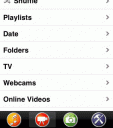
Want all your media on your iPhone all the time without syncing? OrbLive is an app that streams media files from your PC or MAC to you iPhone or iPod touch. The advantage of using streaming is that you don’t need to sync files to your iPhone or iPod touch. OrbLive gives you access to all your media files automatically with a familiar iPod like interface. This also means you are not limited by the storage limit on your iPhone or iPod touch. Finally OrbLive gives you access to live content including Radio, Webcams documents, and even Live Television feeds!
To get going you will need to do 2 things:
1) Install the Orb streaming application on your MAC or PC and make sure the device is left on and connected to the internet.
2) Install the OrbLive app on your iPhone or iPod touch
TV: With an Orb-compatible TV Tuner on your PC, OrbLive can basically turn your iPhone into a portable TV with access to all of your channels anywhere. Otherwise you can browse internet TV channels and recorded shows in OrbLive. We recommend the Hauppauge 1192 WinTV HVR-1950 External USB HDTV Tuner/Video Recorder to work with OrbLive.
Audio: Listen to your entire music library at home, plus you also can stream a wide array of internet radio shows.
Photos and Videos: View all your photos and home videos right in the OrbLive app from your iPhone anywhere, anytime. iPhone users can choose settings to optimize functionality for either WiFi, 3G, or Edge connections.
Here is a video demo of the OrbLive app on the iPhone

2 Comments to “OrbLive”
Leave Comment
About AppSafari
Popular App Review Categories
- Games
- Featured apps
- iPad apps
- Free apps
- Cydia apps
- App Lists
- Music
- Utilities
- Reference
- Social
- Chat
- Video
- Productivity
- Notes
- Fun
- GPS
- Files
- Augmented reality
- Shopping
- Education
- Finance
- Travel
- Food
- Sports
- News
- Weather
- Health
- Movies
- Photos
- VOIP
- Calendar
- Contacts
- Auto
- Dating
- Books
- Web apps
- All categories >>
Recent iPhone App Reviews
- Elevate – Brain Training May 28th, 14
- UpTo Calendar – Syncs with Google Calendar, iCloud, Outlook and more May 28th, 14
- Quip May 23rd, 14
- Marco Polo: Find Your Phone by Shouting MARCO! May 22nd, 14
- Ku – creative social network May 13th, 14
- Personal Zen May 9th, 14
- Fiasco! Free May 9th, 14
- Forza Football (formerly Live Score Addicts) Apr 29th, 14

Well worth it.
I am using this right now and this works, it works.
I am watching TV – LIVE TV on this app.
All you need is a TV Card in your computer.
thats it.
and what ever channels you can get with your TV tunner card, are the channels you
get on your iPhone.
I am getting “Over The Air” Digital Broadcasting
and still be able to watch TV.
Love this app.
thanks ORB..
Posted on October 29th, 2009 at 10:12 pm byNotice: Only variables should be assigned by reference in /var/www/html/wp-content/plugins/subscribe-to-comments/subscribe-to-comments.php on line 591
ScoobyDoo
I love the ORB and I’ll download this application to my Iphone 4 when I get that phone BUT THE DEVICE IN THE VIDEO is not iPhone, it is iPod! You can see the iPod text in the upper left corner.
Posted on August 5th, 2010 at 4:57 pm byNotice: Only variables should be assigned by reference in /var/www/html/wp-content/plugins/subscribe-to-comments/subscribe-to-comments.php on line 591
Jupstejuho