USAA review


 Loading...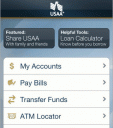
USAA app for the iPhone or iPod touch gives mobile access to USAA Federal Savings Bank members to keep you connected and in control of your finances including secure access to your accounts, ATM locator and more. A loan calculator packed into the USAA app helps you estimate monthly payments when shopping for a new home or car. The Rental Car Locator helps you find the nearest Avis, Budget or Hertz location on your iPhone, and the Accident Checklist is a handy tool so you can record accident details to help you file a claim. You can also make trades in your USAA investment accounts, and view your benefits and eligibility.
USAA is expected to offer users the ability to deposit checks via an iPhone very soon. USAA’s consumer remote deposit application for the iPhone lets users take a picture of the front and back of each check and submit them electronically to USAA for deposit.
Here’s how it works:
– Open the USAA iPhone app and log into your USAA account.
– Enter the amount of the check
– Take a photo of the front of the check
– Wait for the software to optimize the photo
– Take a photo of the back of the check
– Wait for the software to optimize the photo
– Transmit it to the bank
– Receive a confirmation message from the bank
Very cool and effective use of the iPhone for financial productivity.
The USAA iPhone app is free and a great resource for any member of the USAA with an iPhone or iPod touch. Note you can also access the mobile website of USAA in Safari on your iPhone by browsing to https://mobile.usaa.com/

One Comment to “USAA”
Leave Comment
About AppSafari
Popular App Review Categories
- Games
- Featured apps
- iPad apps
- Free apps
- Cydia apps
- App Lists
- Music
- Utilities
- Reference
- Social
- Chat
- Video
- Productivity
- Notes
- Fun
- GPS
- Files
- Augmented reality
- Shopping
- Education
- Finance
- Travel
- Food
- Sports
- News
- Weather
- Health
- Movies
- Photos
- VOIP
- Calendar
- Contacts
- Auto
- Dating
- Books
- Web apps
- All categories >>
Recent iPhone App Reviews
- Elevate – Brain Training May 28th, 14
- UpTo Calendar – Syncs with Google Calendar, iCloud, Outlook and more May 28th, 14
- Quip May 23rd, 14
- Marco Polo: Find Your Phone by Shouting MARCO! May 22nd, 14
- Ku – creative social network May 13th, 14
- Personal Zen May 9th, 14
- Fiasco! Free May 9th, 14
- Forza Football (formerly Live Score Addicts) Apr 29th, 14

i am a member and i find this so useful. everything that can be done on the internet or through customer service could now be done on my phone, even to depositing a check. THAT IS WHY I LOVE MY USAA!!!!!!!!
Posted on September 20th, 2009 at 6:51 pm byNotice: Only variables should be assigned by reference in /var/www/html/wp-content/plugins/subscribe-to-comments/subscribe-to-comments.php on line 591
ann