Apollo IM


 Loading...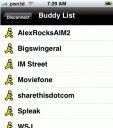
Apollo IM is a native 3rd party iphone app developed by “Arminius” which has just released its first beta that now gives you the power of instant messaging via AIM on your iPhone.
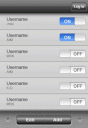 Appolo IM has just got better. With help from the iPhone community, the new Apollo IM (Rev 2) is more polished and feature packed than ever before. Now supporting AIM, .mac, ICQ, and MSN, Apollo IM delivers communications beyond any individual network’s limits. Your feedback supports ongoing development. Future releases are expected to add support for Yahoo, Jabber, GTalk, Gadu-Gadu, Bonjour and file transfers.
The codebase and source code for the app is also available at google code here if you wish to contribute to the next version.
Note: If you are having problems with server connections we recommend you switch to using MobileChat app instead. Find the instructions here.
If you prefer to use web based AIM apps try these:
- BeeJive
- Meebo
- Mundu
- Jabber & GTalk
- TinyBuddy
- iPhone Chat Client
- FlickIM
- eBuddy
- TyByIM
- HeySan
- AIM for iPhone
Use iPhone mods and hacks at your own risk! Installing 3rd Party iPhone apps requires you to jailbreak the iPhone before installing the native software and apps. You can use Installer.app for Mac OSX and iBrickr for Windows PC to do this. Browse the full list of all iPhone and iPod touch native 3rd party apps filed under the software category.
Get it here
Deprecated: strlen(): Passing null to parameter #1 ($string) of type string is deprecated in /var/www/html/wp-content/themes/apps/single.php on line 80

123 Comments to “Apollo IM”
Leave Comment
About AppSafari
Popular App Review Categories
- Games
- Featured apps
- iPad apps
- Free apps
- Cydia apps
- App Lists
- Music
- Utilities
- Reference
- Social
- Chat
- Video
- Productivity
- Notes
- Fun
- GPS
- Files
- Augmented reality
- Shopping
- Education
- Finance
- Travel
- Food
- Sports
- News
- Weather
- Health
- Movies
- Photos
- VOIP
- Calendar
- Contacts
- Auto
- Dating
- Books
- Web apps
- All categories >>
Recent iPhone App Reviews
- Elevate – Brain Training May 28th, 14
- UpTo Calendar – Syncs with Google Calendar, iCloud, Outlook and more May 28th, 14
- Quip May 23rd, 14
- Marco Polo: Find Your Phone by Shouting MARCO! May 22nd, 14
- Ku – creative social network May 13th, 14
- Personal Zen May 9th, 14
- Fiasco! Free May 9th, 14
- Forza Football (formerly Live Score Addicts) Apr 29th, 14

I’m on my touch right now. Its great! Nice app
Posted on November 19th, 2007 at 4:05 pm byNotice: Only variables should be assigned by reference in /var/www/html/wp-content/plugins/subscribe-to-comments/subscribe-to-comments.php on line 591
fletcher
Like! Thank you!
Posted on November 29th, 2007 at 1:48 pm byI just wanted to pass on a note to let you know what a great job you have done with this forum.Thanks!
Notice: Only variables should be assigned by reference in /var/www/html/wp-content/plugins/subscribe-to-comments/subscribe-to-comments.php on line 591
knirway
I just wanted to say its such a good app with so much potential. There are a few things I think can be improved with the next releases. The inability to see what u are typing after the first line is a major one. Other things like being able to view a persons profile would be cool. The only other thing I can see that could have a change needed is the coversations. It would be dope the on going coversations were stashed at the top of the buddy list so u don’t have to scroll through every an to fins ur conversation with a specific person. Other than that I love it. Its fast, it keeps the buddies like they are on ur real buddy list and doesnt freeze my iPod up. KEEP IT UP!!!
Posted on December 4th, 2007 at 9:10 pm byNotice: Only variables should be assigned by reference in /var/www/html/wp-content/plugins/subscribe-to-comments/subscribe-to-comments.php on line 591
dos
this is a great app, but it stopped working on my itouch. I would also like to see a horizontal keyboard.
Posted on December 6th, 2007 at 9:56 pm byNotice: Only variables should be assigned by reference in /var/www/html/wp-content/plugins/subscribe-to-comments/subscribe-to-comments.php on line 591
fred
I’ve tried everything with apollo and i can’t get it to work its up and runing but it wont connect..
Posted on December 7th, 2007 at 1:40 pm bymsn)
please help!!
Notice: Only variables should be assigned by reference in /var/www/html/wp-content/plugins/subscribe-to-comments/subscribe-to-comments.php on line 591
pc not
Hey
Posted on December 9th, 2007 at 9:49 am byI got a question. How can i install Apollo on my ipod touch. I got it jailbreaked but i don;t know how to do this with this special program. Or is there a chance to download it with safari on my ipod and install it then with my ipod. So completly without my Computer?
Thank you
Notice: Only variables should be assigned by reference in /var/www/html/wp-content/plugins/subscribe-to-comments/subscribe-to-comments.php on line 591
Patrick
omg what happend to my ipod !!! how do i uninstall it!!
Posted on December 10th, 2007 at 4:47 pm byNotice: Only variables should be assigned by reference in /var/www/html/wp-content/plugins/subscribe-to-comments/subscribe-to-comments.php on line 591
Alex
The Patrick that asked if there was anyway to download it without computer (incase there is more the one Patrick). You can by going to http://www.jailbreakme.com but if you must have update 1.1.1 or your iPod Touch will brick and you can’t use it. So if you have 1.1.2 downgrade. Then go to the site. Install the app from your iPod Touch once thats done go into the installer and get the update that it says on it then go to community sources download it and look for ApolloIM and there you go an app for IMing on your iPod Touch…if you don’t want to jailbreak it to get an app you can always just go to Beejive.com on your iPod Touch/iPhone but its probably a bit slower because its on Safari and its on browser.
Posted on December 12th, 2007 at 1:00 pm byNotice: Only variables should be assigned by reference in /var/www/html/wp-content/plugins/subscribe-to-comments/subscribe-to-comments.php on line 591
Andrew
Sorry I ment you must have update 1.1.1 on your iPod Touch OR it will brick and you can’t use it or restore it. Which is probabably what happend to Alex who posted above me.
Posted on December 12th, 2007 at 1:02 pm byNotice: Only variables should be assigned by reference in /var/www/html/wp-content/plugins/subscribe-to-comments/subscribe-to-comments.php on line 591
Andrew
heyy i got apollo on my itouch but i dont know how to change my msn name
Posted on December 17th, 2007 at 9:40 am byplease help
Notice: Only variables should be assigned by reference in /var/www/html/wp-content/plugins/subscribe-to-comments/subscribe-to-comments.php on line 591
dylan
Problem with apollo,
i believe on msn, you appear offline
but still able to chat..
any help please ?
Posted on December 29th, 2007 at 5:16 pm byNotice: Only variables should be assigned by reference in /var/www/html/wp-content/plugins/subscribe-to-comments/subscribe-to-comments.php on line 591
kevstar
i have a 1.1.2 i havent done anything to it yet, dnt have a clue what to do, reli want msn on there. do i have to jailbreak? – and what is that? then how do i get apollo Im on there? many thanks 😉
Posted on January 7th, 2008 at 2:35 pm byNotice: Only variables should be assigned by reference in /var/www/html/wp-content/plugins/subscribe-to-comments/subscribe-to-comments.php on line 591
TB
I jailbroke mine but its not in the list of comunity sources?
Posted on January 15th, 2008 at 6:49 pm byNotice: Only variables should be assigned by reference in /var/www/html/wp-content/plugins/subscribe-to-comments/subscribe-to-comments.php on line 591
jont
I believe it is part of the Ste Packacking source. Check out the http://appsafari.com/full-list-of-installerapp-sources/
Posted on January 15th, 2008 at 7:13 pm byNotice: Only variables should be assigned by reference in /var/www/html/wp-content/plugins/subscribe-to-comments/subscribe-to-comments.php on line 591
Appmin
i have that problem too.. checks my email then says “unable to authenticate: unable to connect”
Posted on January 17th, 2008 at 9:27 pm by???????????????????????????????
Notice: Only variables should be assigned by reference in /var/www/html/wp-content/plugins/subscribe-to-comments/subscribe-to-comments.php on line 591
manlyman2000
yah I have the same problem too with msn. it trys to connect to my account then later says “unable to authenticate unable to connect” any way to fix this bug?
Posted on January 19th, 2008 at 3:08 pm byNotice: Only variables should be assigned by reference in /var/www/html/wp-content/plugins/subscribe-to-comments/subscribe-to-comments.php on line 591
goshwil
yes i got the same problem when i try signing into Msn i get ‘unable to authenticate: unable to connect’ help?
Posted on January 23rd, 2008 at 10:23 pm byNotice: Only variables should be assigned by reference in /var/www/html/wp-content/plugins/subscribe-to-comments/subscribe-to-comments.php on line 591
shadar
i am having the same problem. anyone able to help??/
Posted on January 25th, 2008 at 6:17 am byNotice: Only variables should be assigned by reference in /var/www/html/wp-content/plugins/subscribe-to-comments/subscribe-to-comments.php on line 591
jake
hello i have instaler Installer.app on my iPhone i have instaler
Posted on January 25th, 2008 at 9:37 am by“Community Sources”
BSD Subsystem”
Apollo”
and all time not conection unable to authenticate unable to connect
Notice: Only variables should be assigned by reference in /var/www/html/wp-content/plugins/subscribe-to-comments/subscribe-to-comments.php on line 591
maxdu
someone answer the ‘unable to authenticate’ ‘ cant connect thing ‘ since a lot of people are having trouble with it (me included) its anoying cause i dont like using meebo (meebo.com) thanks
Posted on January 25th, 2008 at 10:24 am byNotice: Only variables should be assigned by reference in /var/www/html/wp-content/plugins/subscribe-to-comments/subscribe-to-comments.php on line 591
james
download the host file here:
replace it in
/Applications/Apollo.app
reboot!
enjoy!
Posted on January 25th, 2008 at 12:12 pm byNotice: Only variables should be assigned by reference in /var/www/html/wp-content/plugins/subscribe-to-comments/subscribe-to-comments.php on line 591
Hossam
that like doesn’t work, it said the requested url can’t be found. do u have another link to download the file.
Posted on January 25th, 2008 at 12:24 pm byNotice: Only variables should be assigned by reference in /var/www/html/wp-content/plugins/subscribe-to-comments/subscribe-to-comments.php on line 591
goshwil
I meant link* instead of like
Posted on January 25th, 2008 at 12:24 pm byNotice: Only variables should be assigned by reference in /var/www/html/wp-content/plugins/subscribe-to-comments/subscribe-to-comments.php on line 591
goshwil
sorry,,try this one..
Posted on January 25th, 2008 at 12:49 pm byNotice: Only variables should be assigned by reference in /var/www/html/wp-content/plugins/subscribe-to-comments/subscribe-to-comments.php on line 591
Hossam
Heyy okay so i go to this link …wat do i do with it ? and wat u mean download it? (HOw)
Posted on January 25th, 2008 at 1:38 pm byThanx
Notice: Only variables should be assigned by reference in /var/www/html/wp-content/plugins/subscribe-to-comments/subscribe-to-comments.php on line 591
Carlito
just save the file or that script to ur computer with no extension. Like,,dnt save it as a txt file or anything!! Just save it as is. Then connect to ur iPhone via ssh or something and replace that same file called hosts in /applications/Apollo.app
Posted on January 25th, 2008 at 1:49 pm byNotice: Only variables should be assigned by reference in /var/www/html/wp-content/plugins/subscribe-to-comments/subscribe-to-comments.php on line 591
hossam
My apollo app works with msn now!! thanks hossam!
Posted on January 25th, 2008 at 4:57 pm byNotice: Only variables should be assigned by reference in /var/www/html/wp-content/plugins/subscribe-to-comments/subscribe-to-comments.php on line 591
goshwil
i finally figured it out everybody! First what you need to do is download “Apollo” on the ipod. Once installed, make sure you also have downloaded “BSD Subsystem” and “OpenSSH” in the ipod system applications (found in the installer). Then, be sure to download the “service” utility application (also found in the installer). The service utility application allows you to make sure that your ability to use SSH is turned on.
Then you download (on your computer) a program called cuteftp pro. (it must be the pro edition). I used Azureus, but i’m sure you could just use a trial version.
While that’s downloading, download the file to your desktop. It should be named “hosts”. Now, on your cuteftp pro program, click file>connect>connection wizard. It will ask you for the Host Address. This is your ipod’s IP address. You’ll find this on your ipod under settings. You click on settings, wifi, and then the blue arrow to the right of your wifi connection. Put that number into the line on your cuteftp pro program on the computer. Click next. Under user name type “root” for password, type “alpine”. Click next. It will connect your ipod to your computer via wifi. If anything else comes up click yes, or next. When it’s finally loaded it will show you as being in the directory “/private/var/root” Zoom out of your directory (clicking 3 times) on the folder with the little green arrow. Double Click on Applications. Double Click On Apollo. On the left hand side, locate the file “hosts” that you saved earlier. Once you find it, just click and hold the “hosts” file and drag it to the right hand directory which shows all your Apollo system files. It will ask you if you’d like to replace, select yes – and after it clears 100%, msn messenger should work fine for the ipod touch!
Posted on January 26th, 2008 at 2:06 am byNotice: Only variables should be assigned by reference in /var/www/html/wp-content/plugins/subscribe-to-comments/subscribe-to-comments.php on line 591
Joel
WOOW JOEL!! thank you soo much…ur a genius!! MY MSN WORKKSSSSS on my iphone!! ur story will be told everywhere i go and cure the cancer of unathuntication of Apollo now and forever!! LOL in other words thanxx alot man u really did it!
Posted on January 26th, 2008 at 10:18 am byNotice: Only variables should be assigned by reference in /var/www/html/wp-content/plugins/subscribe-to-comments/subscribe-to-comments.php on line 591
Carlito
I followed all the instructions as directed above, but apollo still gives me the same error prompt. Any suggestions as what else I could do to fix the “can’t authenticate…can’t connect” problem.
Posted on January 26th, 2008 at 6:02 pm byNotice: Only variables should be assigned by reference in /var/www/html/wp-content/plugins/subscribe-to-comments/subscribe-to-comments.php on line 591
Kam
Are you sure you followed the instructions properly? I followed the instructions and it worked for me
1. go to this link and download the file
Posted on January 26th, 2008 at 7:06 pm by2. then go on to cute ftp pro or cyber duck and go to applications/apollo/ than save the host file you got off the link, and remember to over right the file.
3. than go onto your apollo app after your done with step 2. log on to your msn account, than it should work.
Notice: Only variables should be assigned by reference in /var/www/html/wp-content/plugins/subscribe-to-comments/subscribe-to-comments.php on line 591
goshwil
make sure u reboot ur phone after you replace the file!!
Posted on January 27th, 2008 at 12:39 am byNotice: Only variables should be assigned by reference in /var/www/html/wp-content/plugins/subscribe-to-comments/subscribe-to-comments.php on line 591
hossam
The instructions seems a bit complex to follow. When will the new version of Apollo coming out? Is it going to include this fix on ‘unable to authenticate’ problem?
Posted on January 27th, 2008 at 6:03 am byNotice: Only variables should be assigned by reference in /var/www/html/wp-content/plugins/subscribe-to-comments/subscribe-to-comments.php on line 591
Jason
Wow! It definitely works. Thx Hossam!!
Posted on January 27th, 2008 at 3:07 pm byNotice: Only variables should be assigned by reference in /var/www/html/wp-content/plugins/subscribe-to-comments/subscribe-to-comments.php on line 591
tri
Hi guys,
Posted on January 28th, 2008 at 11:12 am byWell tried the above, but all i get after it connects is a white screen, and that’s it..! Grrr
Any ideas ??
Notice: Only variables should be assigned by reference in /var/www/html/wp-content/plugins/subscribe-to-comments/subscribe-to-comments.php on line 591
Duncan
i followed the steps but i can’t seem to connect my iphone via wi-fi. I get this “failure to authenticate host” message. Any idea why?
Posted on January 30th, 2008 at 3:16 am byNotice: Only variables should be assigned by reference in /var/www/html/wp-content/plugins/subscribe-to-comments/subscribe-to-comments.php on line 591
Albert
after recieving this message “failure to authenticate host” i used iphonebrowser and pasted the hosts file in applications/apollo/ rebooted my iphone and succesfully logged into msn
Posted on January 30th, 2008 at 1:06 pm byNotice: Only variables should be assigned by reference in /var/www/html/wp-content/plugins/subscribe-to-comments/subscribe-to-comments.php on line 591
Fabio
i get “the host validation failed…” when trying to connect on the cuteftp program. Can someone help?
Posted on January 30th, 2008 at 4:23 pm byNotice: Only variables should be assigned by reference in /var/www/html/wp-content/plugins/subscribe-to-comments/subscribe-to-comments.php on line 591
Albert
that happened to me the first time I tried to use cyberduck, I restored my ipod to its normal settings, than i got the installer back and all my apps I had from before. after that i tried using cyberduck and it work, I noticed that if you restore your ipod, the host or something changes. so it may be a pain but I’d try restoring your ipod, it worked for me so…
Posted on January 30th, 2008 at 5:04 pm byNotice: Only variables should be assigned by reference in /var/www/html/wp-content/plugins/subscribe-to-comments/subscribe-to-comments.php on line 591
goshwil
hi,i have a question. i have an unlocked iphone and i really want to get this program on my phone because i use icq all the time.
Posted on January 31st, 2008 at 11:40 am byif i install it would it lock my iphone?
Notice: Only variables should be assigned by reference in /var/www/html/wp-content/plugins/subscribe-to-comments/subscribe-to-comments.php on line 591
christina
Hello
1st I want to thank you for this nice Software.
I have re-install Apollo after update to 1.1.3
It has found my previous settings but each time I try to Log-in I get the message :
could not connect to authentification server could no resolve host name, with AIM
and
Connection error from notification server : unable to connect with MSN
Do you plan to include voice in AIM ?
THAT WILL BE GREAT 🙂
Many Thanks
Cyril
Posted on February 1st, 2008 at 2:47 am byNotice: Only variables should be assigned by reference in /var/www/html/wp-content/plugins/subscribe-to-comments/subscribe-to-comments.php on line 591
Cyril
Hey..!! i already get into the iphone’s files but i can’t find the Applications folder obviously i can’t find either de Apollo folder.. please HELP ME..!!
Posted on February 1st, 2008 at 7:58 pm byNotice: Only variables should be assigned by reference in /var/www/html/wp-content/plugins/subscribe-to-comments/subscribe-to-comments.php on line 591
mishel
yeh same for me cant connect even after latest hosts file. any ideas?
Posted on February 3rd, 2008 at 1:55 pm byNotice: Only variables should be assigned by reference in /var/www/html/wp-content/plugins/subscribe-to-comments/subscribe-to-comments.php on line 591
Rhydz
joels instructions seem a bit complicated..just download the file posted on January 25th, 2008 at 12:49 pm by Hossam^^^^ and replace with the “hosts” file in Applications/Apollo.app using WinSCP (on windows): ( u will find the winscp download here & info about how to use it)
Posted on February 6th, 2008 at 10:33 am byNotice: Only variables should be assigned by reference in /var/www/html/wp-content/plugins/subscribe-to-comments/subscribe-to-comments.php on line 591
Yassa
Hi I have tried it but nothing
Posted on February 6th, 2008 at 7:29 pm byi have 1.1.3 does it matters??
thanks
Notice: Only variables should be assigned by reference in /var/www/html/wp-content/plugins/subscribe-to-comments/subscribe-to-comments.php on line 591
Diego
Hi
I have replaced the hot file in the Apollo Apps, it does not change anything :
I get the message :
could not connect to authentification server could no resolve host name, with AIM and
Connection error from notification server : unable to connect with MSN
Thanks in advance for a fix
Cyril
Posted on February 6th, 2008 at 10:18 pm byNotice: Only variables should be assigned by reference in /var/www/html/wp-content/plugins/subscribe-to-comments/subscribe-to-comments.php on line 591
Cyril
just use meebo, it’s better than Apollo.
Posted on February 7th, 2008 at 9:02 am bypeople you’re talking with appear at the top of your buddy list (no scroll to search open conversations),you can see all the lines you’re typing…anyway i think it’s so much better. open safari and o to http://www.meebo.com (it functions also in PC, i use it at the university where computers do not have msn). try and let me know
Notice: Only variables should be assigned by reference in /var/www/html/wp-content/plugins/subscribe-to-comments/subscribe-to-comments.php on line 591
Giovanni
How do i save the file that people put into a non text document
Posted on February 9th, 2008 at 1:36 pm byNotice: Only variables should be assigned by reference in /var/www/html/wp-content/plugins/subscribe-to-comments/subscribe-to-comments.php on line 591
Ray
Thank you very much JOEL, your method works on my hotmail address but not on the msn, I don’t know why but anyway is good enough. Thank you
Posted on February 10th, 2008 at 7:20 am byNotice: Only variables should be assigned by reference in /var/www/html/wp-content/plugins/subscribe-to-comments/subscribe-to-comments.php on line 591
ppcastro
if you do have problems signing on with msn just sign on 3 times then sign on a fourth time and it will tell you thatyou have already signed on, then you wait until it flicks back to the home screen automatically. then if you sign on again it should work
Posted on February 11th, 2008 at 3:17 pm byyeah i know it is complicated quite unlike icq which works perfectly, but it is worth it
brilliantt app
so useful
Notice: Only variables should be assigned by reference in /var/www/html/wp-content/plugins/subscribe-to-comments/subscribe-to-comments.php on line 591
Ipodboyclapton
how is it a brilliant app if it doesn’t work for 90% of the people who use it u moron
Posted on February 13th, 2008 at 2:50 pm byNotice: Only variables should be assigned by reference in /var/www/html/wp-content/plugins/subscribe-to-comments/subscribe-to-comments.php on line 591
m
it was working fine until 1.1.3
Posted on February 13th, 2008 at 9:03 pm byI use Jivetalk, works ok with 1.1.3
Notice: Only variables should be assigned by reference in /var/www/html/wp-content/plugins/subscribe-to-comments/subscribe-to-comments.php on line 591
cyril
Yes! I love you. my Apollo works now after replacing that hosts file. Thats kind of stupid how they made it so it couldn’t work rite away or is that only for iPod touch users maybe.
Posted on February 14th, 2008 at 5:11 pm byNotice: Only variables should be assigned by reference in /var/www/html/wp-content/plugins/subscribe-to-comments/subscribe-to-comments.php on line 591
Tom
OK I had problems connecting with my 1.1.3 iphone and just found the solution pour authenticate.
You need to copy your “hosts” file in the following directories of your iPhone :
1-/Applications/Apollo.app/
2-/etc/
and
3-/var/mobile/Library/Preferences/
Enjoy :p
Posted on February 19th, 2008 at 10:43 am byNotice: Only variables should be assigned by reference in /var/www/html/wp-content/plugins/subscribe-to-comments/subscribe-to-comments.php on line 591
iP4
there doesnt seem to be any easy way to fix it like a simple download update in the downloader once jailbroken?
Posted on February 20th, 2008 at 4:09 am byNotice: Only variables should be assigned by reference in /var/www/html/wp-content/plugins/subscribe-to-comments/subscribe-to-comments.php on line 591
james
Ok,
thx it works now after your explanation. We need to paste host file into /etc/ and /var/mobile/Library/Preferences/ tooooo
yeah thank you
Posted on February 20th, 2008 at 6:52 am byNotice: Only variables should be assigned by reference in /var/www/html/wp-content/plugins/subscribe-to-comments/subscribe-to-comments.php on line 591
Gorille Funky
iP4
Posted on February 20th, 2008 at 7:11 pm bythank you for your explanation
but how do i do that
i have a iPhone 1.1.2 unlocked
pls ignore my ignorance
would you pls guide me through this
TIA
Notice: Only variables should be assigned by reference in /var/www/html/wp-content/plugins/subscribe-to-comments/subscribe-to-comments.php on line 591
gwailoting
on my 1.1.3 iphone i cant conect it tells me connection error from notification server: unable to connect
Posted on February 20th, 2008 at 8:50 pm byNotice: Only variables should be assigned by reference in /var/www/html/wp-content/plugins/subscribe-to-comments/subscribe-to-comments.php on line 591
sebastian
Ok for me after /etc/hosts update
Posted on February 21st, 2008 at 12:06 pm byYeaha !! Thanks a lot
Notice: Only variables should be assigned by reference in /var/www/html/wp-content/plugins/subscribe-to-comments/subscribe-to-comments.php on line 591
sBoOb
to joel
Posted on February 22nd, 2008 at 12:26 pm bythanks for the step by step guide
my apollo is up running
Notice: Only variables should be assigned by reference in /var/www/html/wp-content/plugins/subscribe-to-comments/subscribe-to-comments.php on line 591
gwailoting
Hi there!!
im using i phone fimware version 1.1.2 and i installed apollo and using i brick i uploaded the host file but still im getting an error..
can anyone explaine why is this..?? i really need this msn for my mob..
please help me…
Posted on February 23rd, 2008 at 7:55 pm byNotice: Only variables should be assigned by reference in /var/www/html/wp-content/plugins/subscribe-to-comments/subscribe-to-comments.php on line 591
Munaz Ali
“Ok, thx it works now after your explanation. We need to paste host file into /etc/ and /var/mobile/Library/Preferences/ tooooo yeah thank you”
YEAAAA works fine. TNX
Posted on March 1st, 2008 at 8:09 am byNotice: Only variables should be assigned by reference in /var/www/html/wp-content/plugins/subscribe-to-comments/subscribe-to-comments.php on line 591
minime
Hi
I have found a patch in the installer
Works ok now
Cyril
Posted on March 1st, 2008 at 11:59 pm byNotice: Only variables should be assigned by reference in /var/www/html/wp-content/plugins/subscribe-to-comments/subscribe-to-comments.php on line 591
Cyril
To:iP4
Posted on March 2nd, 2008 at 4:09 am byThanks Alot You The Man . Your Solution Worked Perfect…
Notice: Only variables should be assigned by reference in /var/www/html/wp-content/plugins/subscribe-to-comments/subscribe-to-comments.php on line 591
DeejFlip
HEy IP4
how do i upload this host files and from this pag i couldn’t download the file cos it is in txt formate..
please tell me how to download this file and how can i pate this file in those directories..
pleas please help me in this apollo one..
Posted on March 2nd, 2008 at 9:17 am bythank you soooooooooooooooo much
Notice: Only variables should be assigned by reference in /var/www/html/wp-content/plugins/subscribe-to-comments/subscribe-to-comments.php on line 591
Munaz Ali
in the “Installer”
Just install IM Chat 1.1.3 fix
it’s so simple
Posted on March 3rd, 2008 at 3:12 am byNotice: Only variables should be assigned by reference in /var/www/html/wp-content/plugins/subscribe-to-comments/subscribe-to-comments.php on line 591
Cyril
Dear Cyril!!
IM having iphone firmware 1.1.2 and i installed apollo but i couldt connect it to MSN..it says authentication failed..
i did replaced the jost file using ibrickr but couldnt make it out..
Can you tell me why?????? Please your help is highly appreciate
thank you in advance..
Posted on March 4th, 2008 at 4:09 am byNotice: Only variables should be assigned by reference in /var/www/html/wp-content/plugins/subscribe-to-comments/subscribe-to-comments.php on line 591
munaz
>Dear Cyril!! IM having iphone firmware 1.1.2 and i installed apollo but i couldt
do what I just say before your mail
Posted on March 5th, 2008 at 1:15 am byNotice: Only variables should be assigned by reference in /var/www/html/wp-content/plugins/subscribe-to-comments/subscribe-to-comments.php on line 591
Cyril
Everyhing worked with 1.1.3 with goshwil instructions and then installing IM Chat 1.1.3 fix as Munaz Ali explained
Posted on March 5th, 2008 at 1:04 pm byNotice: Only variables should be assigned by reference in /var/www/html/wp-content/plugins/subscribe-to-comments/subscribe-to-comments.php on line 591
Diego Camacho
Thanks Ipodboyclapton that totally works! =D
Posted on March 9th, 2008 at 9:31 am byNotice: Only variables should be assigned by reference in /var/www/html/wp-content/plugins/subscribe-to-comments/subscribe-to-comments.php on line 591
Ipodboyclapton
HI AGAIN
ANY ONE CAN TELL ME HOW TO USE APOLLO. IM HAVING LOTS OF DIFFICULTIES CONECTING THIS ONE.
I TRIED TO REPLACE THE HOST FILE USING IBRICKR BUT IT DONT WORKE.
ANY IDEA WHAT IM DOING WRONG??
PLEAE HELP ME TO DO THIS..
IM HAVING AN IPHONE FIRMWARE VERSION 1.1.2
Posted on March 15th, 2008 at 5:56 pm byNotice: Only variables should be assigned by reference in /var/www/html/wp-content/plugins/subscribe-to-comments/subscribe-to-comments.php on line 591
munaz
Thank you so much!!!! it was driving me nuts on my iphone that it worked once and never again. Thanks iP4
Posted on March 15th, 2008 at 6:35 pm byNotice: Only variables should be assigned by reference in /var/www/html/wp-content/plugins/subscribe-to-comments/subscribe-to-comments.php on line 591
Talia
Read above. use winscp to access your iphone to replace the file. copy over and allow overwrite. it doesn’t matter that you have iphone. the folders are almost pretty much the same as the touch.
Posted on March 15th, 2008 at 6:37 pm byNotice: Only variables should be assigned by reference in /var/www/html/wp-content/plugins/subscribe-to-comments/subscribe-to-comments.php on line 591
Talia
still doesnt work after replacing the hosts file into the 3 folders…anyone has any idea? has it got to do with permissions?
Posted on March 16th, 2008 at 8:48 pm byNotice: Only variables should be assigned by reference in /var/www/html/wp-content/plugins/subscribe-to-comments/subscribe-to-comments.php on line 591
bran
Works fine after uploading hosts in the 3 folders and rebooting ! thanks a lot
Posted on March 18th, 2008 at 5:57 pm byNotice: Only variables should be assigned by reference in /var/www/html/wp-content/plugins/subscribe-to-comments/subscribe-to-comments.php on line 591
nicosFR
erm..i try downloading the hosts file. but it keeps becoming a .txt file? so i can’t replace the original file in the iphone?
Posted on March 19th, 2008 at 2:51 am byNotice: Only variables should be assigned by reference in /var/www/html/wp-content/plugins/subscribe-to-comments/subscribe-to-comments.php on line 591
kenhan
just rename it to host
Posted on March 19th, 2008 at 6:40 am byNotice: Only variables should be assigned by reference in /var/www/html/wp-content/plugins/subscribe-to-comments/subscribe-to-comments.php on line 591
goshwil
what should be the permission of the hosts file in the 3 locations? 755?
Posted on March 19th, 2008 at 11:11 am byNotice: Only variables should be assigned by reference in /var/www/html/wp-content/plugins/subscribe-to-comments/subscribe-to-comments.php on line 591
allen
I got iphone 1.1.4 working after copying hosts into 3 locations as mentioned above, so, happy.
Posted on March 19th, 2008 at 11:58 am byNotice: Only variables should be assigned by reference in /var/www/html/wp-content/plugins/subscribe-to-comments/subscribe-to-comments.php on line 591
Dave
what is hosts file? what is 3 location or folders.
Posted on March 21st, 2008 at 10:29 pm byCan anyone explaine more detail.
Notice: Only variables should be assigned by reference in /var/www/html/wp-content/plugins/subscribe-to-comments/subscribe-to-comments.php on line 591
Brandon
PLEASE HELP ME!!!!!!!! I ALSO AM HAVING THIS SAME PROBLEM!!! I PUT THE STUPID HOSTS THING IN THE RIGHT PLACE AND EVERYTHING, BUT IT SEEMS THAT ONLY WORKS FOR MSN… BUT NOT AIM!!! CAN SOMEONE PLEASE HELP ME AND TELL ME HOW TO GET IT FOR AIM, I WANNA USE APOLLO AIM!!! PLEASE HELP ME!!!
Posted on March 22nd, 2008 at 12:30 pm byNotice: Only variables should be assigned by reference in /var/www/html/wp-content/plugins/subscribe-to-comments/subscribe-to-comments.php on line 591
Moe
read my previous post, you will find the solution
Cyril
Posted on March 22nd, 2008 at 12:53 pm byNotice: Only variables should be assigned by reference in /var/www/html/wp-content/plugins/subscribe-to-comments/subscribe-to-comments.php on line 591
cyril
i downloaded and installed apollo im yesterday and my iphone has crashed. ver is 1.1.2. the iphone shows up on itunes but doesnt switch on. the apple logo appears and some flashes and vibrations also happen. someone pls help as all my data in on the phone …. send me a mail pls at pssissi@gmail.com
Posted on March 25th, 2008 at 2:40 am byNotice: Only variables should be assigned by reference in /var/www/html/wp-content/plugins/subscribe-to-comments/subscribe-to-comments.php on line 591
Ajay
I have downloaded + installed Apollo IM on my jailbroken iPhone, and when i try logging in, a notification comes up saying ‘Connection error from Notification server: Unable to connect’
Please help me with the problem…
Thanx
Posted on March 26th, 2008 at 3:15 pm byNotice: Only variables should be assigned by reference in /var/www/html/wp-content/plugins/subscribe-to-comments/subscribe-to-comments.php on line 591
Kieran
I spent about 2 or more hours trying to get Apollo to work on my Touch, which was a waste of time because Meebo is way better. I went to meebo which is already formatted for the mobile safari. I tested it w/ a second account and its super fast, pretty much instant. Trust me. Meebo is way better. You have to be in wifi or edge anyway so might as well hop onto meebo.com
Posted on March 26th, 2008 at 6:49 pm byNotice: Only variables should be assigned by reference in /var/www/html/wp-content/plugins/subscribe-to-comments/subscribe-to-comments.php on line 591
Alex
change the host file the last 3 ip is all wrong, that’s why it couldn’t communicate to hotmail.
Fix: Open the host file using notepad and edit the last 3 entry to
65.54.239.210 messenger.hotmail.com
65.54.239.211 gateway.messenger.
hotmail.com
65.54.183.193 loginnet.passport.com
cheers ;p
Posted on March 29th, 2008 at 1:49 am byNotice: Only variables should be assigned by reference in /var/www/html/wp-content/plugins/subscribe-to-comments/subscribe-to-comments.php on line 591
cschua
HEY GUYS I FINALLY DID IT.. NOW MY APOLLO WOKS:)
THANKS FOR THE HELP I REALLY APPREICIATE YOU GUYSSSSSSSSSS..
THANK YOU SOOOOOOOOOOO MUCH
Posted on March 29th, 2008 at 5:37 pm byNotice: Only variables should be assigned by reference in /var/www/html/wp-content/plugins/subscribe-to-comments/subscribe-to-comments.php on line 591
munaz
I keep getting something like “cannot connect to authentication server: could not resolve host name”
what should I do??? it worked before… And I can’t delete everything again…
Posted on March 30th, 2008 at 4:56 pm byNotice: Only variables should be assigned by reference in /var/www/html/wp-content/plugins/subscribe-to-comments/subscribe-to-comments.php on line 591
paul park
ip4s worked for me
Posted on March 30th, 2008 at 11:16 pm byNotice: Only variables should be assigned by reference in /var/www/html/wp-content/plugins/subscribe-to-comments/subscribe-to-comments.php on line 591
tsouth
if youre using ibrickr,
1. go to /applications/apollo.app/ and download the host file out
2. open the host file via notepad, delete everything and copy “##
# Host Database
#
# localhost is used to configure the loopback interface
# when the system is booting. Do not change this entry.
##
127.0.0.1 localhost
255.255.255.255 broadcasthost
::1 localhost
64.12.161.185 login.oscar.aol.com
65.54.179.216 nexus.passport.com
65.54.183.203 login.live.com
65.54.239.210 messenger.hotmail.com
65.54.239.211 gateway.messenger.hotmail.com
65.54.183.193 loginnet.passport.com” into the file and save it.
3. upload the host file to the following 3 locations: -/Applications/Apollo.app/, -/etc/, and
-/var/mobile/Library/Preferences/
have fun X)
Posted on March 31st, 2008 at 7:40 pm byNotice: Only variables should be assigned by reference in /var/www/html/wp-content/plugins/subscribe-to-comments/subscribe-to-comments.php on line 591
kay
still doesn’t work
Posted on April 1st, 2008 at 7:19 pm byNotice: Only variables should be assigned by reference in /var/www/html/wp-content/plugins/subscribe-to-comments/subscribe-to-comments.php on line 591
lotacus
hmmm maybe u r behind a proxy or firewall.. usually you can change this by using a different port, ie. if icq doesn’t work on my laptop, I change the port to 443. Currently I am trying to do that too on ApolloIM on iPhone, but got no luck
maybe smbd else got it running.
I tried it like this…
…
Posted on April 3rd, 2008 at 4:33 am by…
64.12.161.185:443 login.oscar.aol.com
…
…
Notice: Only variables should be assigned by reference in /var/www/html/wp-content/plugins/subscribe-to-comments/subscribe-to-comments.php on line 591
iGi
Can anyone give me a link to that “host” to be installed in the 3 different places on the iphone. I’m running 1.1.4 will it still work ???
Thanx a lot
Posted on April 3rd, 2008 at 6:54 am byNotice: Only variables should be assigned by reference in /var/www/html/wp-content/plugins/subscribe-to-comments/subscribe-to-comments.php on line 591
djako
hey, i have apollo in my iphone but evretime y try to connect to msn but it wont connect, what can i do?
Posted on April 4th, 2008 at 1:55 pm byNotice: Only variables should be assigned by reference in /var/www/html/wp-content/plugins/subscribe-to-comments/subscribe-to-comments.php on line 591
carlos
I noticed that the connection is sometimes operating, and sometimes not.
Posted on April 6th, 2008 at 7:49 am byThis is te case for ICQ : “could not connect to authentication server : Could not resolve host name”. However, sometimes it connects.
Does it help to iedntify the problem ? (i use 1.1.4).
Reversely, i did not succeed to connect MSN
Notice: Only variables should be assigned by reference in /var/www/html/wp-content/plugins/subscribe-to-comments/subscribe-to-comments.php on line 591
JMPlant
to resolve the no connection issue you need to edit your hosts file or download the big boss apollo fix under your installer. it will be under tweaks 1.1.3 named im chat1.1.3 fix
Posted on April 6th, 2008 at 2:12 pm byNotice: Only variables should be assigned by reference in /var/www/html/wp-content/plugins/subscribe-to-comments/subscribe-to-comments.php on line 591
La flaca
Had the same Problem !
and it worked after this ->
#
OK I had problems connecting with my 1.1.3 iphone and just found the solution pour authenticate.
You need to copy your “hosts” file in the following directories of your iPhone :
1-/Applications/Apollo.app/
2-/etc/
and
3-/var/mobile/Library/Preferences/
Enjoy :p
Posted on February 19th, 2008 at 10:43 am by iP4
thx iP4
Posted on April 6th, 2008 at 3:27 pm byNotice: Only variables should be assigned by reference in /var/www/html/wp-content/plugins/subscribe-to-comments/subscribe-to-comments.php on line 591
niB
Can someone send me the corrected host file or send me all the text so i can copy and past into file
Posted on April 8th, 2008 at 9:48 pm byNotice: Only variables should be assigned by reference in /var/www/html/wp-content/plugins/subscribe-to-comments/subscribe-to-comments.php on line 591
Vdog
Just use MobileChat
Posted on April 10th, 2008 at 4:36 pm byNotice: Only variables should be assigned by reference in /var/www/html/wp-content/plugins/subscribe-to-comments/subscribe-to-comments.php on line 591
Appmin
Did all of the above. AOL works but
MSN gives me an error:
Unable to authenticate: Unable to connect
any idea?
thanks.
Posted on April 16th, 2008 at 4:34 am byNotice: Only variables should be assigned by reference in /var/www/html/wp-content/plugins/subscribe-to-comments/subscribe-to-comments.php on line 591
Ali
MobileChat isn’t working for me, either. Just hangs at the “Connecting” stage.
(recently jailbroken ipt with 1.1.4)
Posted on April 16th, 2008 at 10:48 am byNotice: Only variables should be assigned by reference in /var/www/html/wp-content/plugins/subscribe-to-comments/subscribe-to-comments.php on line 591
l0k1
Plz someone tell me where can i download this HOSTS file…
Posted on April 17th, 2008 at 11:20 am byNotice: Only variables should be assigned by reference in /var/www/html/wp-content/plugins/subscribe-to-comments/subscribe-to-comments.php on line 591
Dima
No one of those links for host file doesn`t work for me…
Posted on April 21st, 2008 at 1:30 pm byNotice: Only variables should be assigned by reference in /var/www/html/wp-content/plugins/subscribe-to-comments/subscribe-to-comments.php on line 591
Adam
OK people listen up. I had the same sign-on issues and was beating my brains over this. The instructions above did not work for me. The reason that it is working for some and not others is that the IP address of msn servers have changed since the above solutions were published. They may perhaps change periodically, which if true, really suck cos it means that we will get this sign-on issue each time. If you don;t know what an IP address is then don’t worry about it. I got it to work by finding out what the ‘current’ IP addresses are for the msn servers and then modifying the hosts file accordingly. So for those trying to use msn replace the 2 lines with messenger.hotmail.com in it with the following:
207.46.96.153 messenger.hotmail.com
207.46.96.154 gateway.messenger.hotmail.com
I hope this helps!
Posted on April 23rd, 2008 at 9:50 am byNotice: Only variables should be assigned by reference in /var/www/html/wp-content/plugins/subscribe-to-comments/subscribe-to-comments.php on line 591
Steven
i run 1.1.4 and i installed the latest version of Apollo, when i sign in i get the message that cant connect to the authentication server and could not resolve host name. i followed all the steps and put the we b address named “hosts” in the 3 directories. still doesnt work. help anyone???i even rebooted my iphone 3 times. do i hav to edit the text in anyway?
Posted on May 15th, 2008 at 9:38 pm byNotice: Only variables should be assigned by reference in /var/www/html/wp-content/plugins/subscribe-to-comments/subscribe-to-comments.php on line 591
jwan
hey the links to the file by everyone dont work can sum1 plz post a working link
Posted on May 26th, 2008 at 1:30 pm bythanks!
Notice: Only variables should be assigned by reference in /var/www/html/wp-content/plugins/subscribe-to-comments/subscribe-to-comments.php on line 591
Danny
I use FRING now, great apps with audio
Posted on May 27th, 2008 at 1:22 am byNotice: Only variables should be assigned by reference in /var/www/html/wp-content/plugins/subscribe-to-comments/subscribe-to-comments.php on line 591
Cyril
what do I put as port and server once I have entered my email and password as a MSN account ???? Help please ????
Posted on June 6th, 2008 at 3:56 am byNotice: Only variables should be assigned by reference in /var/www/html/wp-content/plugins/subscribe-to-comments/subscribe-to-comments.php on line 591
lewis
where do i enter ???
207.46.96.153 messenger.hotmail.com
207.46.96.154 gateway.messenger.hotmail.com
or
1-/Applications/Apollo.app/
2-/etc/
and
3-/var/mobile/Library/Preferences
i just read all comments and i dont seem to be able to understand where do i put all these input 🙁 🙁
can someone direct me ??
Posted on June 12th, 2008 at 1:21 am byNotice: Only variables should be assigned by reference in /var/www/html/wp-content/plugins/subscribe-to-comments/subscribe-to-comments.php on line 591
derek
This is all pretty stupid. The application shouldn’t require IP addresses in a host file. You should be able to enter in the NAME of the servers when you configure the connection. The NAME of the server should be RESOLVED via DNS just like ANY OTHER APPLICATION DOES!
I have not looked into the issue with Apollo extensively but using a static host file is just plain stupid. Server IP’s change CONSTANTLY.
Sheesh!
Posted on June 19th, 2008 at 5:51 am byNotice: Only variables should be assigned by reference in /var/www/html/wp-content/plugins/subscribe-to-comments/subscribe-to-comments.php on line 591
Raven
i can’t seem to find IM Chat 1.1.3 fix… is it removed from the sources?
Posted on June 19th, 2008 at 6:26 pm byNotice: Only variables should be assigned by reference in /var/www/html/wp-content/plugins/subscribe-to-comments/subscribe-to-comments.php on line 591
leo
I have Apollo Im V. 1.0.2
Posted on June 24th, 2008 at 8:48 am byI tried to get my msn working by following the instruction of Joel posted on January 26 th.
But the link to the file “hosts” is not available. Where can I get that file to finish the instructions?
I also read about the new IP adress that msn is using.
Where do you fill in those data?
Notice: Only variables should be assigned by reference in /var/www/html/wp-content/plugins/subscribe-to-comments/subscribe-to-comments.php on line 591
Omi
Heyy–
Posted on June 25th, 2008 at 7:14 am byso i just downloaded the Apollo im and im having troubles. it seems that it connects and downloads the cookies but then it just closes without the finished log-on…any ideas how to fix it??
thanks.
Notice: Only variables should be assigned by reference in /var/www/html/wp-content/plugins/subscribe-to-comments/subscribe-to-comments.php on line 591
Holly
I WANT TO SEE THIS APP IN THE NEW APPLE iTUNES APPS STORE……PLEASE!!!!!!!!!!!!!
Posted on July 10th, 2008 at 10:30 pm byNotice: Only variables should be assigned by reference in /var/www/html/wp-content/plugins/subscribe-to-comments/subscribe-to-comments.php on line 591
Harry
i downloaded the app. of aim on my itouch but when i try to go on it says i must have a network connection even though i do..what do i do?
Posted on September 22nd, 2008 at 8:04 pm byNotice: Only variables should be assigned by reference in /var/www/html/wp-content/plugins/subscribe-to-comments/subscribe-to-comments.php on line 591
lindsay
hi, i installed the installer app. but i cant with the apollo app.
and my firm is 1.1.3 what can i do?
please help me out!
rayty
Posted on January 12th, 2009 at 5:44 am byNotice: Only variables should be assigned by reference in /var/www/html/wp-content/plugins/subscribe-to-comments/subscribe-to-comments.php on line 591
rayty
i mean i cant find the apollo app on it
Posted on January 12th, 2009 at 5:45 am byNotice: Only variables should be assigned by reference in /var/www/html/wp-content/plugins/subscribe-to-comments/subscribe-to-comments.php on line 591
rayty
Yeah, just search through it but if its not there after, that means it doesnt come with that firmware. Maybe try re-installing your installer…
Posted on January 13th, 2009 at 1:46 am byNotice: Only variables should be assigned by reference in /var/www/html/wp-content/plugins/subscribe-to-comments/subscribe-to-comments.php on line 591
Holly
super site! I am loving it!!
Posted on April 17th, 2009 at 12:12 pm byNotice: Only variables should be assigned by reference in /var/www/html/wp-content/plugins/subscribe-to-comments/subscribe-to-comments.php on line 591
Jeanette
Espermentar
Posted on November 28th, 2009 at 1:12 am byNotice: Only variables should be assigned by reference in /var/www/html/wp-content/plugins/subscribe-to-comments/subscribe-to-comments.php on line 591
Costa
I can’t find a button to send a message to my friends when I’m on pop out chat.
Posted on December 26th, 2009 at 9:13 am byNotice: Only variables should be assigned by reference in /var/www/html/wp-content/plugins/subscribe-to-comments/subscribe-to-comments.php on line 591
Charlie
Iwant thes
Posted on October 6th, 2010 at 6:47 am byNotice: Only variables should be assigned by reference in /var/www/html/wp-content/plugins/subscribe-to-comments/subscribe-to-comments.php on line 591
Meme
how to use the benifits inside i-phone
Posted on October 20th, 2010 at 2:59 am byNotice: Only variables should be assigned by reference in /var/www/html/wp-content/plugins/subscribe-to-comments/subscribe-to-comments.php on line 591
nivinatef